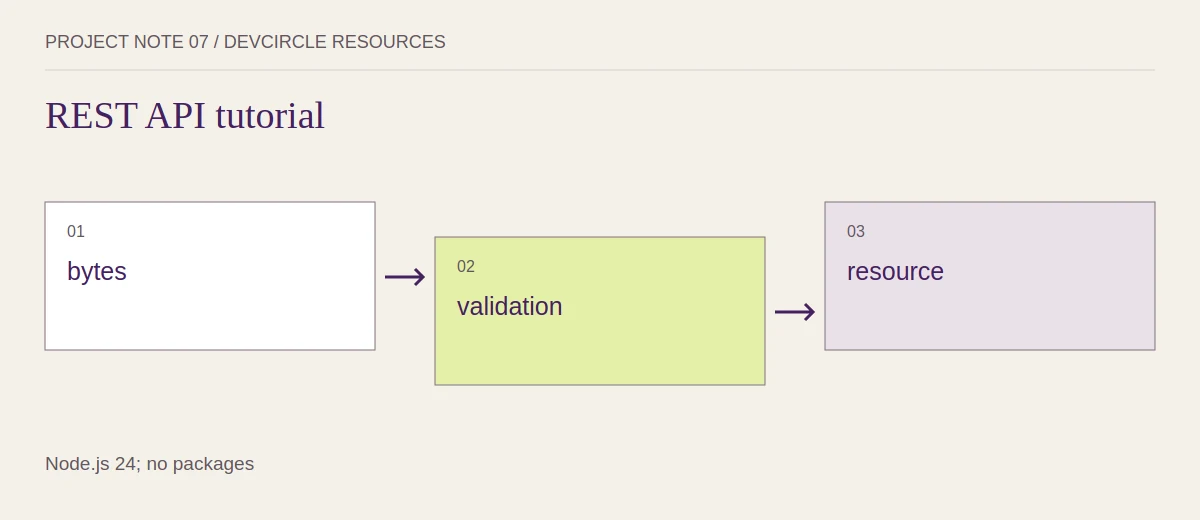
A JSON endpoint has several jobs to finish before it stores anything: limit the request size, check the media type, parse the bytes, validate the object, and reply with a status that means something. This exercise builds a small notes API where you can see each of those boundaries.
Define the resource contract
Use Node.js 24: put the script in notes.mjs, then start it with node notes.mjs. A POST /notes request with JSON whose text value contains 1–200 characters after trimming receives status 201, the new ID, and its resource location. While the process runs, GET /notes/:id retrieves the saved note.
The server caps each request at 4096 bytes. Bytes and characters are different measures: the byte cap limits the work done per request, whereas the character rule decides what the note field can contain. Because the storage here is an in-memory map for a local exercise, treat it as something other than a public storage service.
import http from 'node:http';
const notes = new Map(); let nextId = 1;
function send(res, status, body, extra = {}) {
  res.writeHead(status, {'Content-Type': 'application/json',
    'Cache-Control': 'no-store', ...extra});
  res.end(JSON.stringify(body));
}
const server = http.createServer((req, res) => {
  let path;
  try { path = new URL(req.url, 'http://localhost').pathname; }
  catch { send(res, 400, {error: 'bad_request'}); return; }
  const match = /^\/notes\/(\d+)$/.exec(path);
  if (match) {
    if (req.method !== 'GET') {
      send(res, 405, {error: 'method_not_allowed'}, {Allow: 'GET'}); return;
    }
    const note = notes.get(match[1]);
    send(res, note ? 200 : 404, note || {error: 'not_found'}); return;
  }
  if (path !== '/notes') { send(res, 404, {error: 'not_found'}); return; }
  if (req.method !== 'POST') {
    send(res, 405, {error: 'method_not_allowed'}, {Allow: 'POST'}); return;
  }
  if ((req.headers['content-type'] || '').split(';')[0].trim().toLowerCase() !== 'application/json') {
    send(res, 415, {error: 'use_application_json'}, {Connection: 'close'}); return;
  }
  let bytes = 0; let chunks = []; let rejected = false;
  req.on('data', chunk => {
    if (rejected) return;
    bytes += chunk.length;
    if (bytes > 4096) {
      rejected = true; chunks = [];
      send(res, 413, {error: 'body_too_large'}, {Connection: 'close'}); return;
    }
    chunks.push(chunk);
  });
  req.on('end', () => {
    if (rejected) return;
    let body;
    try { body = JSON.parse(Buffer.concat(chunks).toString('utf8')); }
    catch { send(res, 400, {error: 'invalid_json'}); return; }
    if (!body || Array.isArray(body) || typeof body.text !== 'string' ||
        !body.text.trim() || body.text.trim().length > 200) {
      send(res, 422, {error: 'text_must_be_1_to_200_characters'}); return;
    }
    const note = {id: String(nextId++), text: body.text.trim()};
    notes.set(note.id, note);
    send(res, 201, note, {Location: `/notes/${note.id}`});
  });
  req.on('error', () => { if (!res.headersSent) send(res, 400, {error: 'request_error'}); });
});
server.requestTimeout = 10_000; server.headersTimeout = 5_000;
server.listen(3001, '127.0.0.1', () => console.log('http://127.0.0.1:3001'));
process.on('SIGTERM', () => server.close());
Send a successful request
In Bash, use curl -i -H 'Content-Type: application/json' -d '{"text":"Check the output"}' http://127.0.0.1:3001/notes. For PowerShell, save the JSON into note.json and use curl.exe -i -H "Content-Type: application/json" --data-binary "@note.json" http://127.0.0.1:3001/notes.
Creating the first note returns a 201 response with ID 1 in its JSON body. Then request http://127.0.0.1:3001/notes/1; status 200 should bring back the same record. Its Location header gives a relative URL for the new resource on that host.
Check each rejection separately
Try an empty text string and expect 422. Try malformed JSON and expect 400. Try a JSON body labeled Content-Type: text/plain and expect 415. Try a body over 4096 bytes and expect 413. Every response points to a distinct problem, so the client knows what to repair.
Before it reads a body, the handler validates the path. Unsupported methods receive 405 plus an Allow header; a missing note gets 404. If the resource is absent, do not disguise that failure as a successful response containing an unexplained empty object.
Scroll sideways if the columns extend beyond the frame.
| Request scenario | Checked boundary | HTTP status | Response headers and payload |
|---|---|---|---|
POST /notes with valid {"text":"Check the output"} |
Route, method, media type, byte cap, schema | 201 Created |
Location: /notes/1 and {"id":"1","text":"Check the output"} |
GET /notes/1 after creation |
Route parameter and map lookup | 200 OK |
{"id":"1","text":"Check the output"} |
GET /notes/999 or GET /unknown |
Resource existence / route table | 404 Not Found |
{"error":"not_found"} |
DELETE /notes/1 or GET /notes |
HTTP method per route | 405 Method Not Allowed |
Allow: GET (or Allow: POST) and {"error":"method_not_allowed"} |
POST /notes with Content-Type: text/plain |
Media type header | 415 Unsupported Media Type |
Connection: close and {"error":"use_application_json"} |
POST /notes with payload > 4096 bytes |
Stream chunk accumulator | 413 Content Too Large |
Connection: close and {"error":"body_too_large"} |
POST /notes with {bad json |
JSON.parse syntax check |
400 Bad Request |
{"error":"invalid_json"} |
POST /notes with {"text":" "} or {"text":123} |
Domain field validation | 422 Unprocessable Content |
{"error":"text_must_be_1_to_200_characters"} |
Status 413 is called Content Too Large in RFC 9110. On the HTTP/1.1 status line, Node.js 24 may still print the older phrase Payload Too Large. The numeric status is the same either way, so test for 413 in client logic and skip the reason phrase.
Bound the work, not just the final value
Appending the entire request stream before measuring it leaves memory unbounded: a client could send megabytes and consume resources. Instead, the example counts the raw UTF-8 bytes whenever a data chunk arrives. Once bytes > 4096, the handler sets rejected = true, clears the chunks array so garbage collection can reclaim the memory, and responds with 413 and Connection: close. Note also that checking Content-Type through .split(';')[0].trim().toLowerCase() allows valid parameterized headers such as application/json; charset=utf-8 while rejecting non-JSON payloads before any parsing begins.
Server-side timeouts impose a further bound, but these safeguards do not make this exercise suitable as a public production API. A real service may need authentication, rate limits, durable storage, request tracing, secure transport, and an operations plan. Add each measure to meet a real service requirement, not just to decorate the middleware.
Know what is temporary
Restarting the server erases note 1 at once, as you would expect when storage is an in-memory map. That map puts no ceiling on the total number of entries, so keep this script local only; production software has to cap storage per user and confirm record ownership before returning a note.
The 200-character check uses JavaScript’s string length, which counts UTF-16 code units rather than user-perceived characters. If your product must handle emoji or combined characters correctly, define what counts as a character and enforce that same limit during validation on both the client and server.
Turn this behavior into a clear specification with the API documentation guide, or go back to the HTTP server exercise for a refresher on status codes and request routing.
Source: Node.js HTTP API describes request streams, response headers, and timeout controls.
Download the complete example. Save the file before running it; the guide above names the required runtime.
Updated November 17, 2026: clarified the RFC label for 413 and Node’s older reason phrase; neither the byte limit nor example behavior changed.
Keep building
- A Node.js HTTP server with clear routes and shutdown
Build a small JSON server using the standard library, inspect status codes, and close it cleanly.
- Dockerize a Node.js application and check the running container
Package a tiny server, run it as an unprivileged user, and check the deployed process before opening traffic.
- JavaScript localStorage: save progress without losing the page
Save a versioned list of completed lessons, recover from invalid data, and make clearing progress explicit.