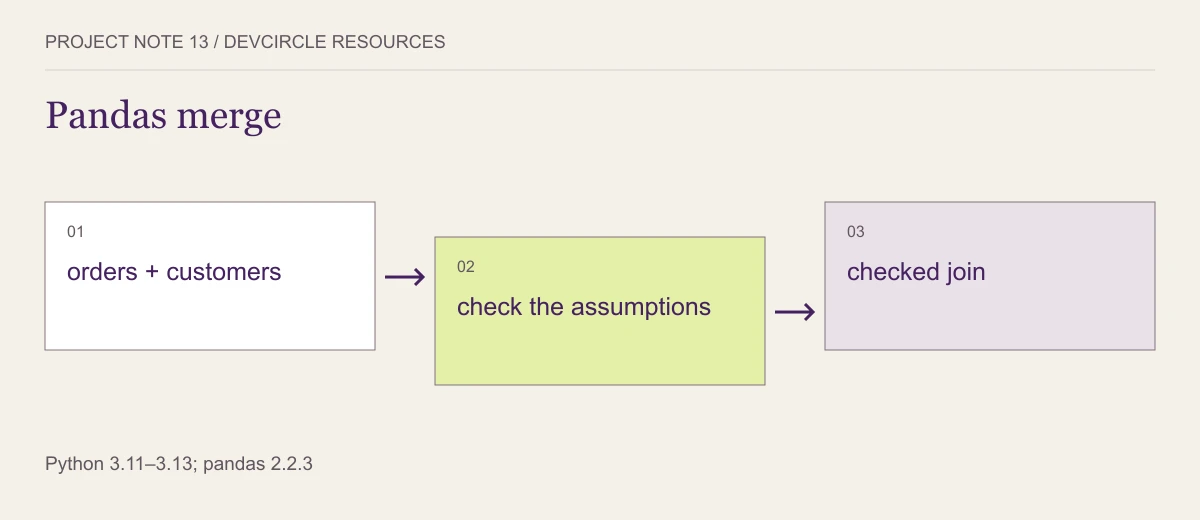
A merge can complete without any error and still corrupt a report. Suppose the customer table has two rows for one ID: every matching order gets duplicated. State the relationship you expect, and have pandas enforce it.
Build the two tables
Install pandas 2.2.3 inside a version-specific environment running Python 3.11–3.13, since this pinned package does not provide a Python 3.14 wheel. Here, the left table holds one row per order while the right table holds one row per customer; because a single customer can place multiple orders, the join relationship is many-to-one.
One order intentionally points to a customer that the lookup lacks. The left join should keep that row and list it in an unmatched report. Save the script as join_orders.py and run python join_orders.py.
import pandas as pd

orders = pd.DataFrame({"order_id": [10, 11, 12],
                       "customer_id": ["A", "B", "X"]})
customers = pd.DataFrame({"customer_id": ["A", "B"],
                          "region": ["north", "south"]})
# customers = pd.concat([customers, customers.iloc[[0]]])
assert orders["customer_id"].notna().all()
assert customers["customer_id"].notna().all()
joined = orders.merge(customers, on="customer_id", how="left",
                      validate="many_to_one", indicator=True)
unmatched = joined.loc[joined["_merge"] == "left_only", "order_id"]
assert len(joined) == len(orders)
assert unmatched.tolist() == [12]
print(joined.to_string(index=False))
print("Unmatched orders:", unmatched.tolist())
Account for every source row
All three orders survive the join: order 10 links to customer A (region="north", _merge="both"), while order 11 links to customer B (region="south", _merge="both"). Because order 12 is absent from customers, it gets _merge="left_only" and region=NaN instead of vanishing, and Unmatched orders: [12] flags it.
The indicator=True option adds a _merge column, a categorical holding left_only, right_only, or both. It lets you tell a failed lookup apart from a matched customer whose region is null in the customers table. A bare joined["region"].isna() check cannot separate the two problems: in one, the customer ID is unknown to the lookup table, and in the other, the customer exists but has an incomplete profile.
Scroll sideways if the columns extend beyond the frame.
validate argument |
Left key uniqueness | Right key uniqueness | Typical relationship and what a failure indicates |
|---|---|---|---|
"one_to_one" ("1:1") |
Must be unique | Must be unique | Joining a base table to a 1:1 extension table; raises MergeError if either side has duplicate keys |
"many_to_one" ("m:1") |
Duplicates allowed | Must be unique | Joining transactions (orders) to a lookup dimension (customers); prevents row multiplication from duplicate dimension keys |
"one_to_many" ("1:m") |
Must be unique | Duplicates allowed | Expanding a parent record into its child line items intentionally |
"many_to_many" ("m:m") |
Duplicates allowed | Duplicates allowed | Performs a Cartesian product within each matching key group; almost always a bug when summing amounts |
Passing validate="many_to_one" verifies that the lookup keys in customers["customer_id"] contain no duplicates before pandas executes the join, while still permitting repeated customer IDs on the left because one customer may submit several orders. Switch to one_to_one whenever the left dataset is also restricted to one row per customer. Always pick the validation mode that reflects your schema rather than silencing an error.
Make the broken case fail
Uncomment the duplicate-customer line (customers = pd.concat([customers, customers.iloc[[0]]])). The script then raises pandas.errors.MergeError: Merge keys are not unique in right dataset; not a many-to-one merge. Without validate="many_to_one", pandas would quietly turn order 10 into two rows and raise len(joined) from 3 to 4, which would inflate any later order count or revenue total for the "north" region. Never silence that failure by stripping out validate. Instead, find out why two lookup rows carry the same identifier—resolving it properly may require joining on a composite key (on=["customer_id", "division"]), switching to a temporal range join via merge_asof, or deduplicating upstream with a deterministic tie-breaker.
On a simple dimension table, an assertion such as customers["customer_id"].is_unique makes the failure easy to examine, and customers.duplicated(subset=["customer_id"], keep=False) lists the offending rows. Still, keep validate="many_to_one" on the .merge() call, since it ties the uniqueness check to the very join that relies on it.
Watch missing keys and types
Where standard SQL ON a.key = b.key evaluates NULL = NULL as unknown and refuses to match, pandas merge() pairs up missing keys (NaN / None / pd.NA) across tables! Consequently, if two orders lack a customer_id and two lookup records also have a null customer_id, the join cross-multiplies them into four output rows. Before merging, this example asserts notna().all() on both key columns. When missing IDs carry real meaning in your data, separate those rows before the merge and handle them as their own explicit bucket.
Pay equal attention to key data types and colliding column names. Unless your data specification explicitly treats leading zeros as meaningless, a string identifier like "001" must never be coerced into the integer 1. Load ID columns using dtype="string" during ingestion, trim stray boundary whitespace, and preserve letter casing whenever identifiers are case-sensitive. If both tables share a non-key column name such as updated_at, pandas adds _x and _y by default. Pass explicit suffixes=("_order", "_customer"), or select only the lookup columns you need (customers[["customer_id", "region"]]), so it stays obvious where each column came from.
Choose what the report should do next
Even without a customer match, an order remains a real transaction. In a completeness summary, keep the record under an explicit "unknown" region bucket and display the unmatched tally beside regional totals. Conversely, if a billing pipeline demands a verified customer, abort whenever unmatched is nonempty and log the offending order_id and customer_id values. The join surfaces the gap; your domain rules dictate whether to bucket or halt.
Aggregate only once the output grain checks out (len(joined) == len(orders)). From here, move on to pandas groupby or see the same problem in SQL joins.
Source: pandas merge guide documents join types, validate, indicator, and key-matching semantics.
Download the complete example. Save the file before running it; the guide above names the required runtime.
Keep building
- Pandas groupby: counts, totals, and missing groups
Make a small sales summary and explain why size, count, and sum can answer different questions.
- Python SQLite: transactions and parameterized queries
Create a small expense database, insert safely, and prove a failed transaction does not leave partial work.
- Pandas data cleaning with an audit trail
Normalize a deliberately messy order file while separating rejected records from accepted observations.