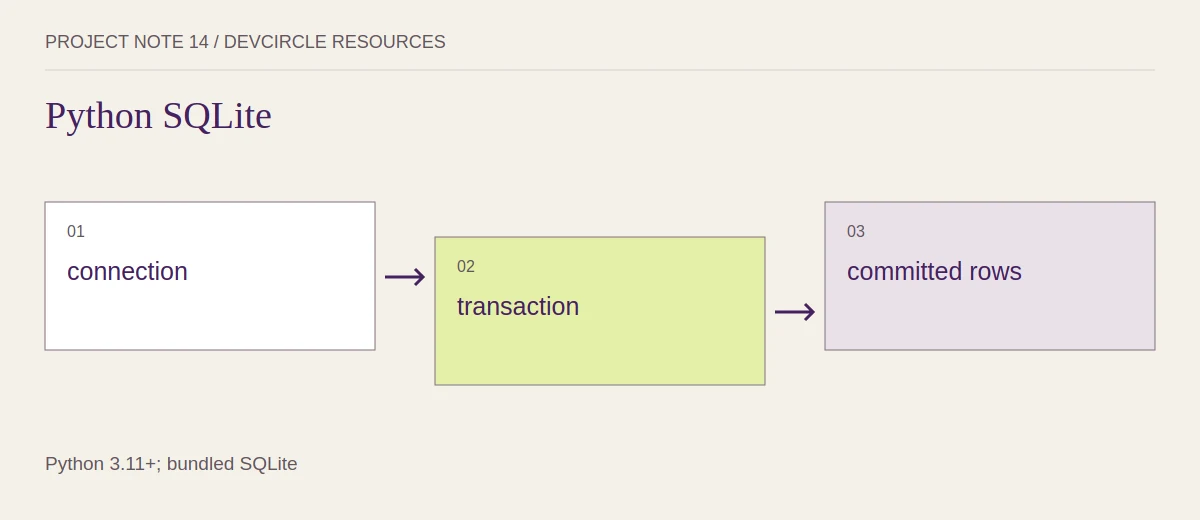
Either the whole expense batch goes in or the database stays untouched. A transaction draws that line. Parameterized queries add a different guarantee, which is that values stay values and never turn into SQL syntax.
Use an in-memory database first
The standard library bundles the sqlite3 module out of the box. Because this script targets Python 3.11 or newer, no third-party dependencies are required, and keeping the database in memory guarantees a clean slate on every run. Save the script as expenses.py and execute python expenses.py.
import sqlite3

db = sqlite3.connect(":memory:")
try:
    db.execute("""CREATE TABLE expenses (
      id INTEGER PRIMARY KEY,
      description TEXT NOT NULL,
      cents INTEGER NOT NULL CHECK(cents >= 0)
    )""")
    with db:
        db.executemany("INSERT INTO expenses VALUES (?, ?, ?)",
                       [(1, "Lunch 'n' tea", 1200), (2, "Bus", 800)])
    try:
        with db:
            db.executemany("INSERT INTO expenses VALUES (?, ?, ?)",
                           [(3, "Paper", 500), (3, "Pen", 200)])
    except sqlite3.IntegrityError:
        print("Duplicate batch rolled back")
    count, total = db.execute(
        "SELECT COUNT(*), SUM(cents) FROM expenses").fetchone()
    assert (count, total) == (2, 2000)
    print("Rows:", count, "Total cents:", total)
finally:
    db.close()
Read the two checks separately
In the first transaction, two expenses are inserted for a total of 2000 cents (Rows: 2 Total cents: 2000). The second transaction tries to insert two rows, (3, "Paper", 500) and (3, "Pen", 200), which share the primary key 3. Although (3, "Paper", 500) is fine alone, SQLite raises sqlite3.IntegrityError once the second tuple collides on id = 3, and leaving the with db: block through an exception rolls back the whole transaction. The row count stays at 2, which shows that "Paper" did not survive as part of a partial batch.
Scroll sideways if the columns extend beyond the frame.
Mechanism in expenses.py |
What it protects against | What happens when violated |
|---|---|---|
with db: connection context manager |
Partial batch writes when a multi-row import fails mid-way | Commits automatically on normal exit; runs ROLLBACK automatically if an exception escapes the block |
? positional placeholders (or :name named placeholders) |
SQL syntax breakage on quotes (Lunch 'n' tea) and SQL injection |
Binds Python values as parameters; raises ProgrammingError if the tuple length does not match placeholder count |
INTEGER PRIMARY KEY and NOT NULL CHECK(cents >= 0) |
Duplicate IDs, missing descriptions, and negative expense amounts | Raises sqlite3.IntegrityError before invalid data can be committed |
STRICT table option (SQLite 3.37+) or application type checks |
Accidental insertion of non-numeric strings into numeric columns under SQLite type affinity | Rejects values that cannot be losslessly converted to the declared column datatype |
try ... finally: db.close() |
Leaked file descriptors and lingering database locks | Closes the connection even when an exception occurs (note that with db: manages transactions, not connection closure) |
Notice that Lunch 'n' tea embeds single quotes directly in the description. That string stores without error because ? placeholders separate the SQL command from the tuple of values. SQLite compiles the query structure once and binds the parameters as pure data rather than executable syntax. Assembling queries with Python f-strings or % interpolation breaks on everyday punctuation and opens the door to SQL injection whenever external input arrives.
Placeholders bind data values only, never table or column identifiers. When a user can pick a sort column or filter field, check that choice against a fixed Python dictionary or set of permitted column names before you build the query string.
Why store cents?
Amounts live in the table as whole-cent integers (INTEGER), while CHECK(cents >= 0) blocks negative entries. Using minor integer units sidesteps binary floating-point drift (REAL in SQLite is an 8-byte IEEE 754 float where 0.1 + 0.2 is not exact). Your application may need sub-cent rates, several currencies, or credit and refund rows. Design for those explicitly, for example with an ISO currency code column or a signed adjustment type, instead of assuming every amount in every domain has two decimal places and can never be negative.
Out of the box, SQLite applies flexible “type affinity” instead of strict column typing, though versions from SQLite 3.37+ onward let you append STRICT to CREATE TABLE statements so the engine enforces types directly. Keep in mind too that declaring a REFERENCES clause between tables (for instance orders.customer_id REFERENCES customers(id)) is parsed by default, yet SQLite only enforces foreign keys after a new connection executes db.execute("PRAGMA foreign_keys = ON").
Make the database persistent
Swap ":memory:" for a file path like "expenses.sqlite3". Start from a fresh file for this script, because its CREATE TABLE fails on purpose with sqlite3.OperationalError: table expenses already exists when you run it twice against the same file. Real applications track schema versions, for instance through PRAGMA user_version or numbered migration scripts; scattering CREATE TABLE IF NOT EXISTS around conceals that an older database file may not match a newer column definition.
Assigning db.row_factory = sqlite3.Row on the connection makes multi-column queries Against a persistent file much easier to read. Each fetched record then answers to positional indexes (row[0]) as well as case-insensitive field names (row["description"], row["cents"]), which documents the query inline and survives column reordering. Always place db.close() inside a finally: block (or wrap the connection in contextlib.closing(sqlite3.connect(...))), since with db: manages transaction commit and rollback without closing the connection itself.
Verify the next change
Switch the invalid batch to IDs 3 and 4, then change the expected tuple in the assertion to (4, 2700). Both rows now commit, and the final query returns 4 rows totaling 2700 cents. Keep the original assertion and the script halts before it prints those totals. Put the duplicate ID 3 and the (2, 2000) expectation back to see the rollback work again. After that, try inserting a negative cents value on its own: the CHECK constraint should reject it with sqlite3.IntegrityError.
Before putting SQLite behind a deployed web service, choose a permanent home for the database file and verify your backup and recovery steps. Stopping and restarting a Docker container preserves its writable layer, but deleting that container wipes the data with it. Place the database storage on a mount outside that layer so that replacing the container does not throw away the file. When readers and a writer overlap on local disk, consider write-ahead logging (PRAGMA journal_mode = WAL); it does not make SQLite a multi-writer network database. Continue with SQL joins and grouped reports.
Source: Python sqlite3 documentation, particularly placeholders, Row factories, and connection context managers; Docker storage explains container-layer lifetime.
Download the complete example. Save the file before running it; the guide above names the required runtime.
Keep building
- Pandas merge: prevent accidental row multiplication
Join orders to customers with explicit keys, cardinality validation, and a report of unmatched records.
- SQL joins: keep the customers who have no orders
Compare inner and left joins on a tiny reproducible database, including the filter that changes your result.
- Pandas groupby: counts, totals, and missing groups
Make a small sales summary and explain why size, count, and sum can answer different questions.