Every color, font and size in AetherSDR comes from the active theme. You can switch themes live, with no restart, and create your own in the built-in Theme Editor.
Choosing a theme
View → Theme lists every installed theme, with a check mark on the active one:
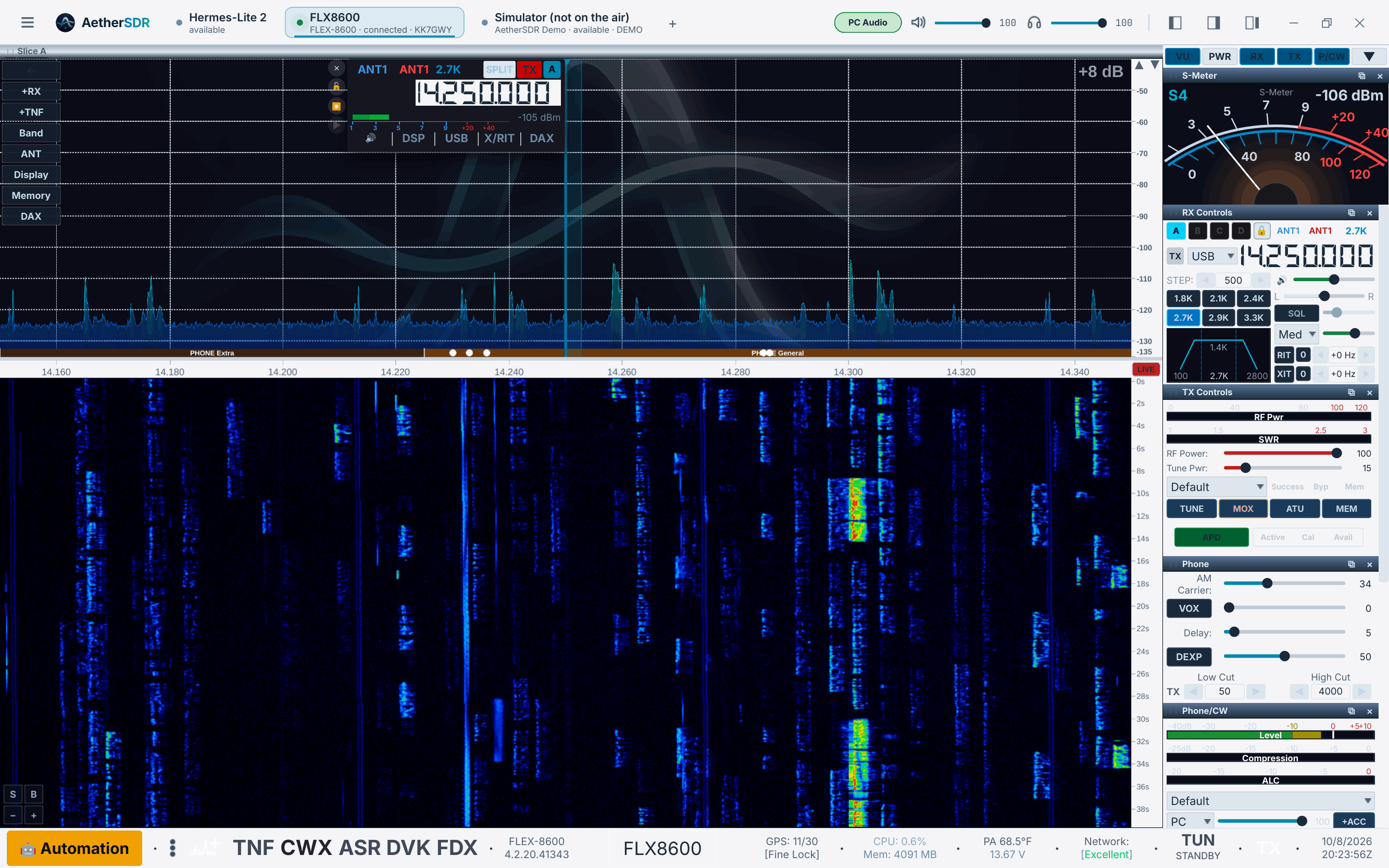
The main window in the Default Light theme.
- Default Dark: the standard look, and the default.
- Default Light: a light theme for bright rooms.
- Any themes you have created or imported.
The change applies immediately across the whole application.
Using the Theme Editor
View → Theme Editor… opens the editor for the active theme. It is a window of its own, so you can keep it open while you look at the result, and choosing Theme Editor… again brings it to the front. Close it with the round ✕ in its top-right corner, Esc, or ⌘W (Ctrl+W on Windows and Linux). The controls are listed under Reference.
The editor's own frame and buttons use the AetherSDR window style and do not change as you edit; the swatches and values always show the theme you are editing. Delete and overwriting an existing theme ask first, with Cancel as the default.
Edits are saved as you make them.
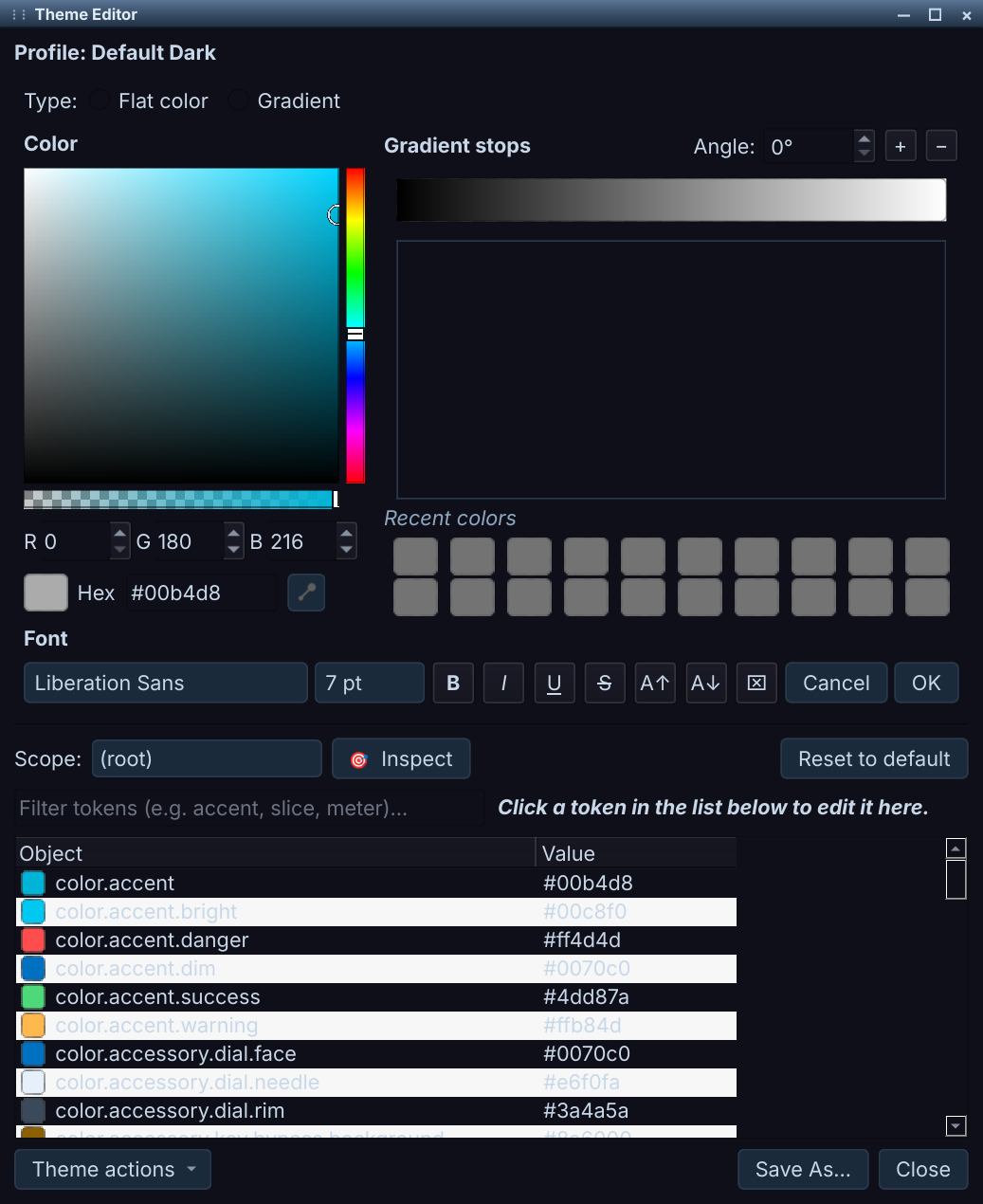
The Theme Editor, editing the built-in Default Dark theme.
Built-in themes are protected
Default Dark and Default Light can't be changed, renamed or deleted. When you edit a built-in theme, the editor asks you to Save As a copy (suggested name "My <theme name>") and your changes go there. Deleting the theme you are using switches back to Default Dark.
Sharing theme files
- Exported themes use the
.aetherthemeextension (a JSON file). Import from file… accepts.aetherthemeand.json, and you can also drag a theme file onto the editor window. - Your own themes are stored in a
themesfolder inside the AetherSDR configuration folder (on Linux,~/.config/AetherSDR/themes/). A user theme with the same name as a built-in one is ignored, so use Save As with a new name.
What a theme controls
Themes cover the whole interface, including:
- Slice colors: the default colors for slices A–H (see Slice Colors).
- Waterfall color schemes: the palettes chosen under the panadapter's Display → Scheme (see Panadapter Controls). Switching theme or scheme recolors the waterfall already on screen, including scrollback.
- Windows with no title bar (About, AetherRX, AetherTX and the other windows with rounded corners and a round close button) use the
color.canon.*tokens. Inside AetherRX and AetherTX, the theme'scanonscope points the usual background, text, border, accent, knob and slider tokens at them. - Selected text in shared window fields and tables, such as MQTT Settings and Net Scheduler, uses
color.canon.inkoncolor.canon.nested, keeping selections readable in Default Light and Default Dark. A few windows, such as Profile Manager, keep their own cyan selection. - The 7- and 14-segment display fonts used for frequency readouts (the DSEG fonts, under the SIL Open Font License).
Analog meter faces have their own Face theme choice on each meter (see Meters).
Reference
| Control | What it does |
|---|---|
| Scope: | Which part of the interface you are editing. "(root)" is the whole application; a nested scope (for example one applet) applies your change only inside that container. |
| 🎯 Inspect | Click it, then point at any part of the main window to find the tokens that paint it. Esc cancels. |
| Filter tokens… | Narrows the token list (for example accent, slice, meter). |
| Token editors | Change colors (with transparency), gradients, fonts and sizes. Changes show live. |
| Clear override | Puts one token back to the theme's value. |
| Theme actions | Rename theme…, Delete theme…, Export to file…, Import from file…. |
| Save As… | Saves the current edits as a new theme. |
Theme authors can find the token names and their meanings in the repository:
- docs/theming/: the token reference
- docs/style/theme-style-guide.md: how the interface uses tokens
Contributors writing new interface code take every color from theme tokens rather than hard-coded values; see Contributing Guide.
Troubleshooting
Import says the theme matches a built-in theme name
The theme file's "name" field is Default Dark or Default Light. Built-in names are reserved, and a user theme with one of them is ignored.
- Open the theme file in a text editor and change its
"name"field to a new name. - Import it again with Theme actions → Import from file….
Your edits to Default Dark or Default Light went into a new theme
Built-in themes are protected, so the editor saved your changes to a copy named "My <theme name>".
- Pick the copy from View → Theme to use it.
- Rename it with Theme actions → Rename theme… if you like.