Inline and side-by-side
Switch layouts with Alt+I and Alt+S, and step through the changed files with the arrow keys. Scroll sync can be vertical, horizontal, both, or off. Collapse to changed lines only when a file is mostly untouched.
GeezerVisonThe World Wide Web, restored to 800 pixels of glory. |
| Home|About|Gaming cabinet|Archives|How it works|Starter sites |
GeezerVison is showing gitcomet.dev — GitComet features Features Every part of your Git workflow, togetherGitComet is a desktop Git client written in Rust. It reads your repository directly with gitoxide, renders through the GPU, and keeps repository browsing and editing on your own machine. Fetch, pull and push use the remotes you configure. Work from the change in front of you: right-click a commit to cherry-pick it, a branch to compare it, or selected diff lines to stage them. Files, stashes and worktrees have their own actions too. Review Diffs you can actually readMost of the time you spend in a Git client is spent reading changes. GitComet treats the diff as the main view rather than a preview pane. Inline and side-by-sideSwitch layouts with Alt+I and Alt+S, and step through the changed files with the arrow keys. Scroll sync can be vertical, horizontal, both, or off. Collapse to changed lines only when a file is mostly untouched. Syntax highlightingSyntax highlighting for programming, configuration and markup languages, in the diff and in the editor views. More than plain textRendered Markdown with common HTML and offline Mermaid diagrams, side-by-side image and SVG diffs, and a minimap of the whole file. Search a diff with case, whole-word, and regular expression matching. 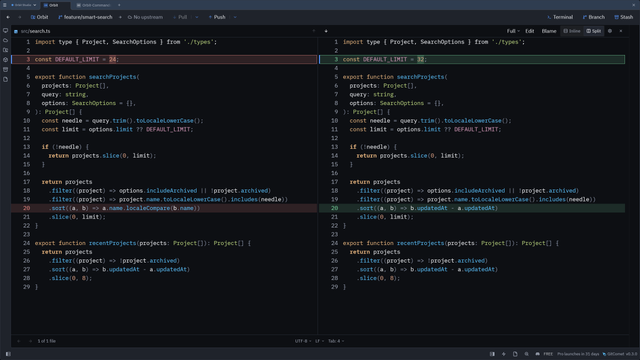 Diffs You Can Actually Read28 secondsWatch with the written walkthrough Steps shown in the video
Staging Commit exactly what you meant toA commit is easier to review when it contains one idea. GitComet lets you split work apart without rewriting the file. File, hunk, or single lineKeep a fix separate from the rest of your edits. Right-click a changed line or a selection to stage or unstage just those lines, or choose a whole hunk. The diff gutter works too; Space stages the current file and jumps to the next one. Discard with careDiscard a single hunk instead of the whole file, amend the previous commit, and get a warning before staging a file that still contains conflict markers. Ignore without leavingKeep generated files out of your commits. Right-click an untracked file to add its exact name, folder or extension to Stage Only What Matters48 secondsWatch with the written walkthrough Steps shown in the video
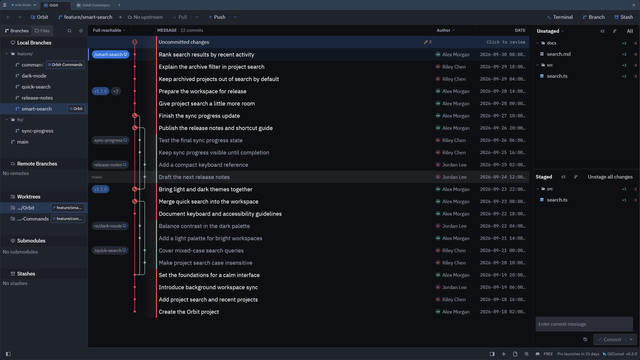
History History that stays fast when the repository is not smallGitComet was started because existing clients stopped being usable on codebases the size of Chromium. History loads in pages and renders while the walk is still running. Rendered commit graphA lane graph drawn on a custom canvas, tuned for repositories with tens of thousands of commits. Choose which columns you want and highlight the selected commit's chain. Filter down to the change you wantSearch across the whole history by commit summary, author or SHA prefix, with case, whole-word and regex options. Focus on selected branches or remotes, hide remotes from the graph, and filter by author or file. Tool and bookkeeping refs are hidden by default, with controls in Settings. See how to filter history. Compare anythingRight-click a commit, branch or tag to compare it with your working tree, or mark it for comparison with another revision. The working-tree comparison updates as you edit. Browse the whole repository as it was at any commit. Travel Through Your History44 secondsWatch with the written walkthrough Steps shown in the video
Rewriting Clean up a branch without writing a rebase todo by handHistory rewriting is where a GUI earns its place: the operations are easy to describe and easy to get wrong in a terminal. Interactive rebaseStart an interactive rebase from a commit's right-click menu. Drag commits to reorder them, then pick, reword, squash, fixup, or drop. Autosquash groups Edit a commit messageClick the pencil in commit details to edit its message, then choose Update commit. GitComet asks for confirmation when the commit is already on the upstream. Learn how to edit a commit message and when rewriting is available. Cherry-pick and squashBring one change onto your current branch without merging the whole branch: right-click its commit and choose Cherry-pick. Select multiple commits for an interactive cherry-pick, or squash a contiguous range with a live message preview. Get back out againReset soft, mixed, or hard, and abort an in-progress merge, rebase, or cherry-pick. GitComet shows which sequencer state the repository is in. Pick the Fix, Leave the Rest43 secondsWatch with the written walkthrough Steps shown in the video
Rewrite History, Cleanly38 secondsWatch with the written walkthrough Steps shown in the video
Repository The rest of Git, not just the parts that are easy to drawBranches, remotes, and tagsCompare a branch before bringing it into your work. Right-click it in the sidebar to compare, merge, squash or rebase. Manage upstreams and remote URLs, prune merged branches, and create lightweight or annotated tags. Worktrees and submodulesOpen a branch straight into a new worktree from its context menu. Removing a worktree keeps its branch unless you choose to delete it. Submodules show a diff summary and inline diffs, and any submodule command asks for trust before it runs. See the linked worktree guide. Stashes and patchesSet unfinished work aside, with or without untracked files. Right-click a saved stash to apply, pop or drop it. Export a commit as a patch file, or apply one to the index or the working tree. Push and pull the way you wantPull as merge, rebase, fast-forward only, or fast-forward if possible. Force push with lease, and see how far ahead or behind the upstream you are. Commit, amend and skip hooksCommit or Commit & Push from the message box, tick Amend to replace the last commit, or tick Skip hooks to leave out Automatic fetchEnable background fetching in Settings → Remotes to keep open repositories current. Tab badges show incoming commits; the Pull menu shows fetch status. You decide when to integrate the changes. See automatic fetch settings and status. Bare repositoriesBrowse committed files and history, fetch and push, and manage linked worktrees in a bare repository. The Git Bare badge explains which actions need a working tree. Read about bare repository support and conversion. Clone with progress you can cancelCloning reports live progress and can be aborted. Credential, SSH passphrase, and host-verification prompts appear in the app instead of a hidden terminal. Git LFS and git-annexSee large-file status and content in diffs. Download, track and lock LFS files, or get, copy and move annexed content between repositories and special remotes. Install Blame that reads like historyAnnotate any file at any revision. Lines are shaded by recency, uncommitted lines are marked as staged or unstaged, and any line jumps to the commit that introduced it. Don’t Miss What’s New, Fetch Automatically46 secondsWatch with the written walkthrough Steps shown in the video
Borrow Changes, Commit Later32 secondsWatch with the written walkthrough Steps shown in the video
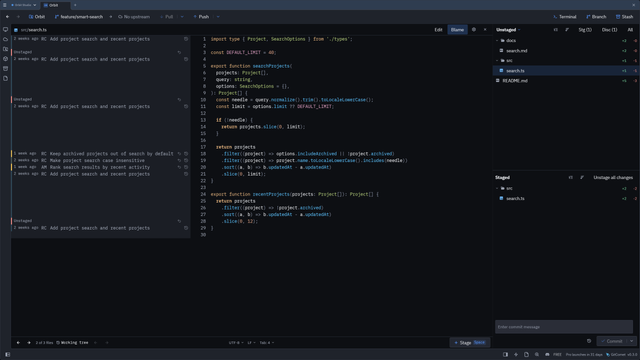 Workflow Fewer reasons to leave the windowEdit files in placeA built-in editor with syntax highlighting and optional autosave. Press Alt+E, fix the typo you just spotted in the diff, save, and stage it. Embedded terminalA real shell inside the panel for the commands no GUI should try to replace. Your external terminal and code editor are one shortcut away when you prefer them. Command paletteCtrl+P reaches close to 50 commands by name. Global back and forward navigation, repository tabs, pinned and recent repositories, and session restore on launch. Keyboard firstFetch, push, pull, stage all, switch branch or toggle the sidebar and terminal without the mouse, and move between the graph, file list and diff with F6. Press Ctrl+/ for a cheat sheet of every shortcut. See the keyboard shortcut reference. Workspaces and windowsGroup repositories into saved workspaces, move repository tabs between windows, and give each workspace its own theme. Repository preferences stay in sync across linked worktrees. Files and documentsRight-click a file or folder in the Files sidebar to rename, copy or move it, with clipboard support and Undo/Redo. Create files in place, open recent documents and edit files outside a repository from the Documents button. Keep Your Hands on the Keyboard46 secondsWatch with the written walkthrough Steps shown in the video
Worktrees, Files and Branches31 secondsWatch with the written walkthrough Steps shown in the video
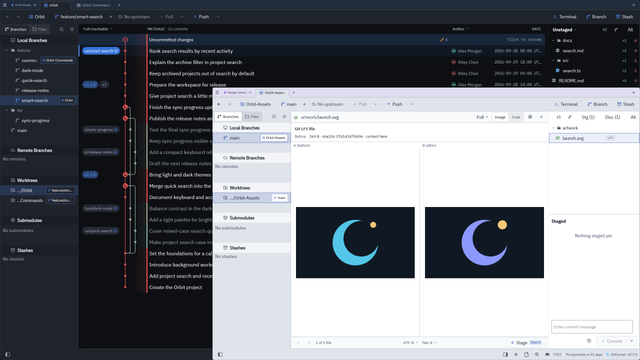 Customization Make it look and behave the way you wantThemes, including your own31 built-in themes, plus an automatic mode that follows your operating system and switches live. Choose a theme in Settings → Appearance or override it per workspace. Add custom themes as JSON bundles. See the theme guide. Typography and scalePick your interface font and your editor font separately from the fonts installed on your system, toggle ligatures, and scale the whole interface without touching your display settings. Links back to your forgeCopy a permalink to a commit or a file for GitHub, GitLab, Bitbucket, Azure DevOps, Gitea, Codeberg, Forgejo, and AWS CodeCommit. Commit hashes and URLs inside commit messages are clickable. Make It Yours29 secondsWatch with the written walkthrough Steps shown in the video
 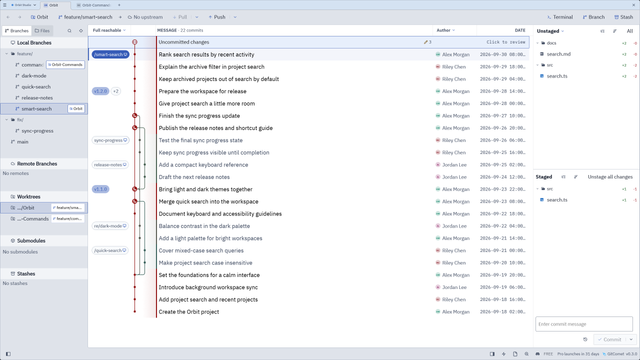 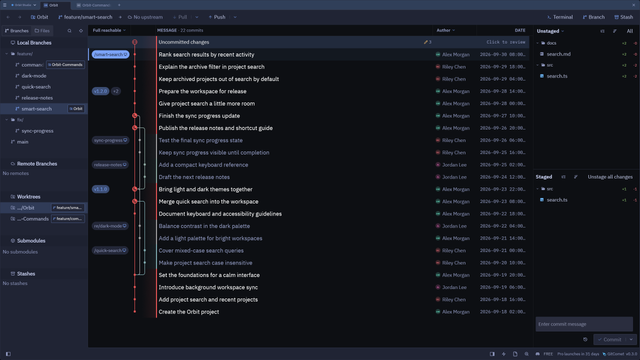 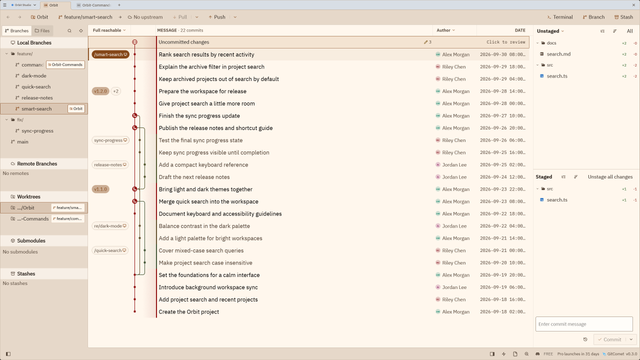 Platform Native on all three, including ARMWindowsA signed MSI installer and a portable build, on x86-64 and ARM64. Also on the Microsoft Store. macOSA notarized disk image on Apple silicon and Intel, or Linuxapt, AUR, Gentoo GURU, Nixpkgs, Homebrew, AppImage, .deb and Fedora RPM packages, on x86-64 and ARM64. Wayland with an automatic X11 fallback, and WSLg. GitComet needs a local Git installation of 2.53 or newer. It is licensed under the AGPL-3.0, and the workspace forbids Try it on your largest repository.That is the one that tells you whether a Git client is worth keeping. |
| You are visitor 01402503 — GeezerVison does not store the pages you look up. Best viewed with Netscape Navigator 4.7 or Internet Explorer 6 at 800×600. No cookies required. |