
Native macOS input remapper for keyboards, multi-button & Logitech HID++ mice, smooth scrolling, Trackpad, and Magic Mouse.
Website · Install · Features · Capabilities · User Guide · Changelog
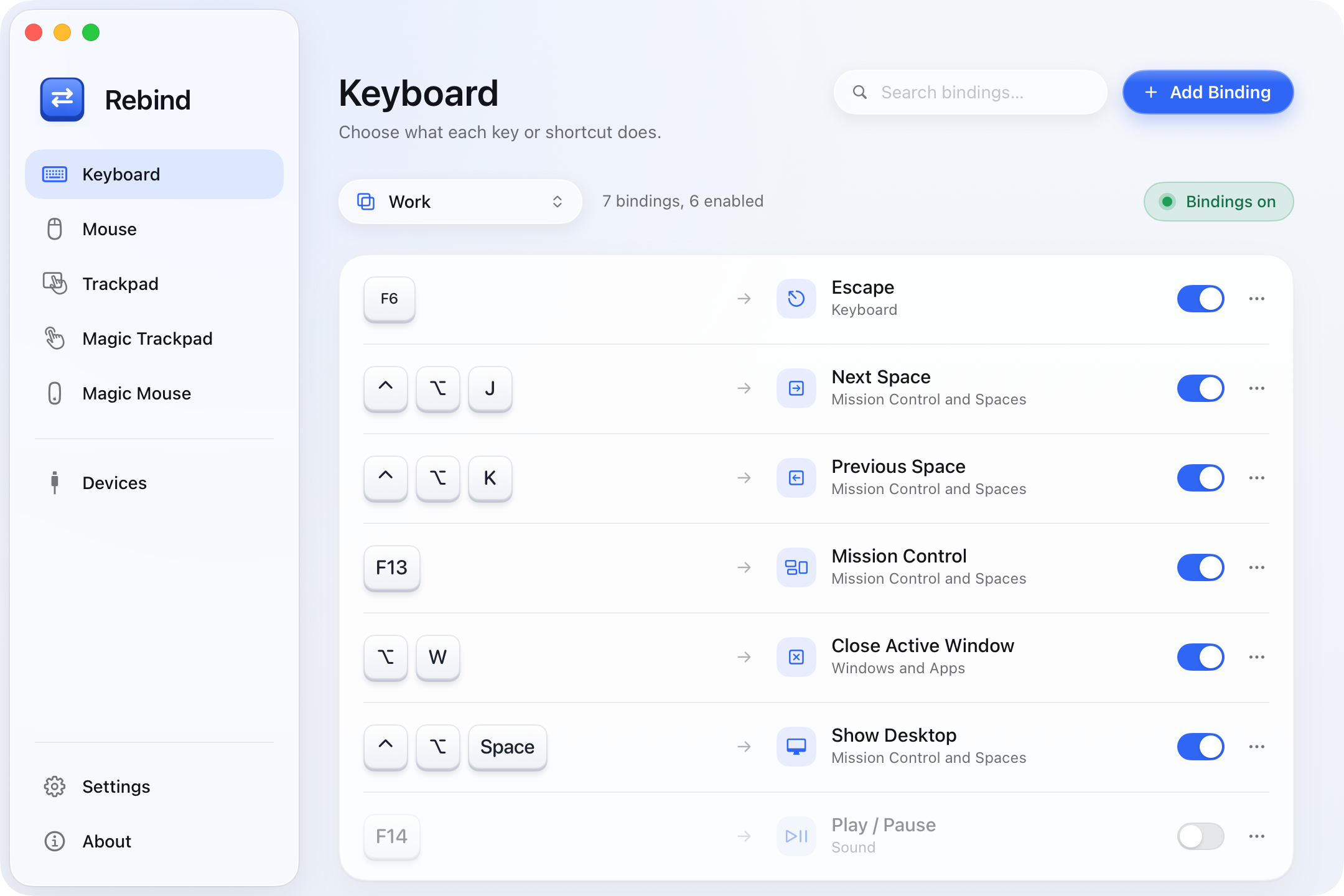
More screenshots (Mouse, Logitech HID++ & Smooth Scroll, Magic Mouse, Starter Setups)
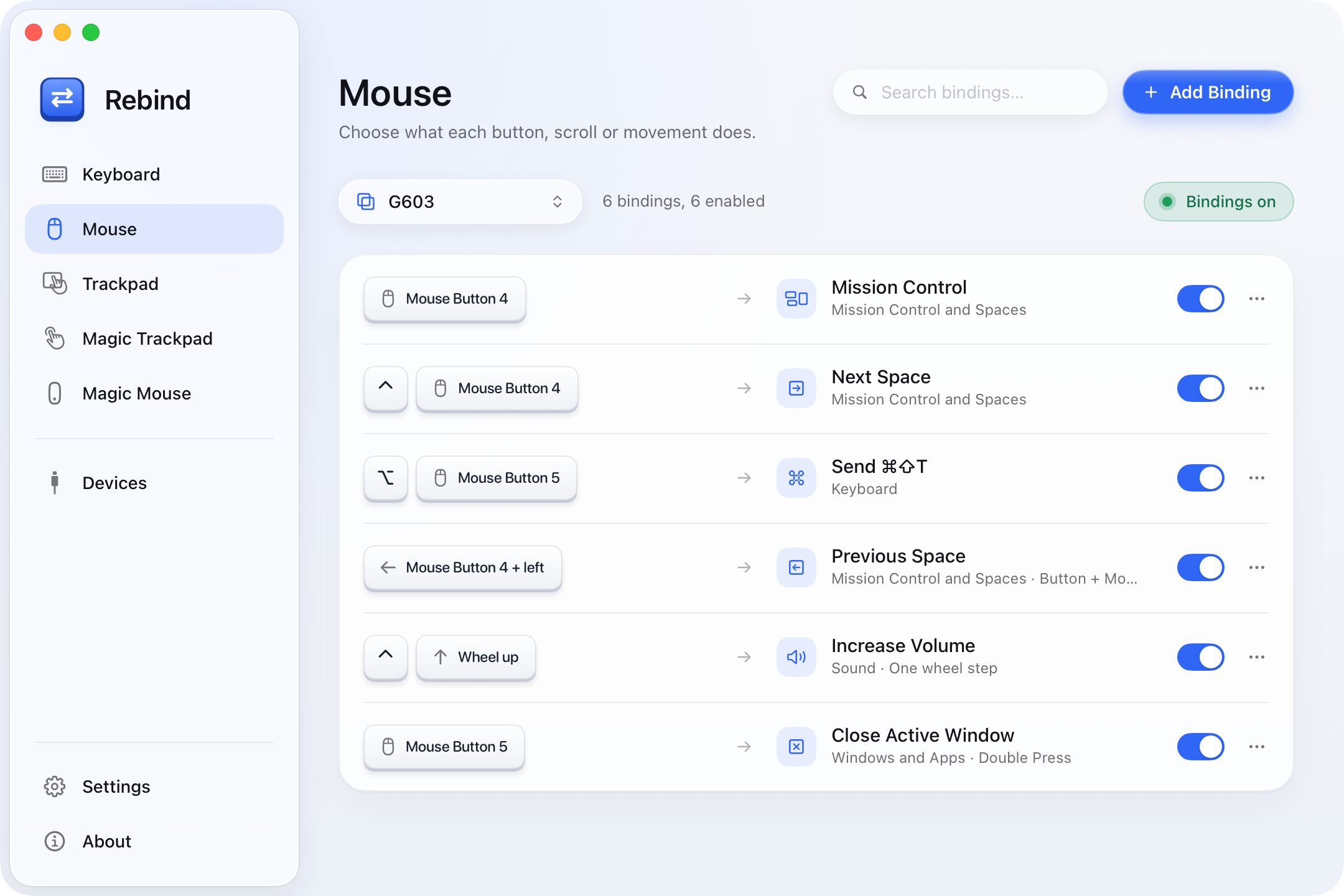
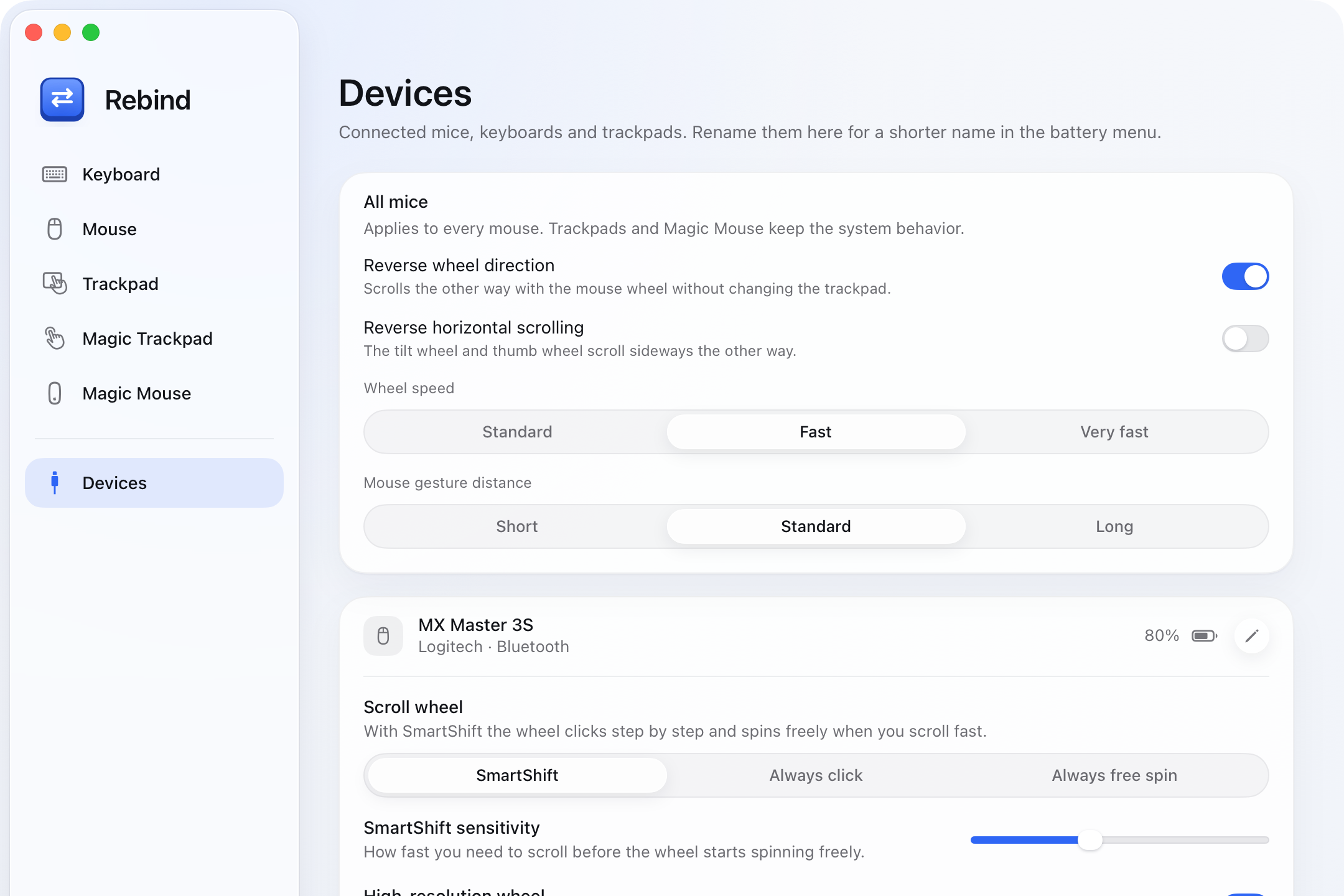
| Mouse & Gesture Rules | Logitech HID++ & Per-Mouse Scroll |
|---|---|
 |
 |
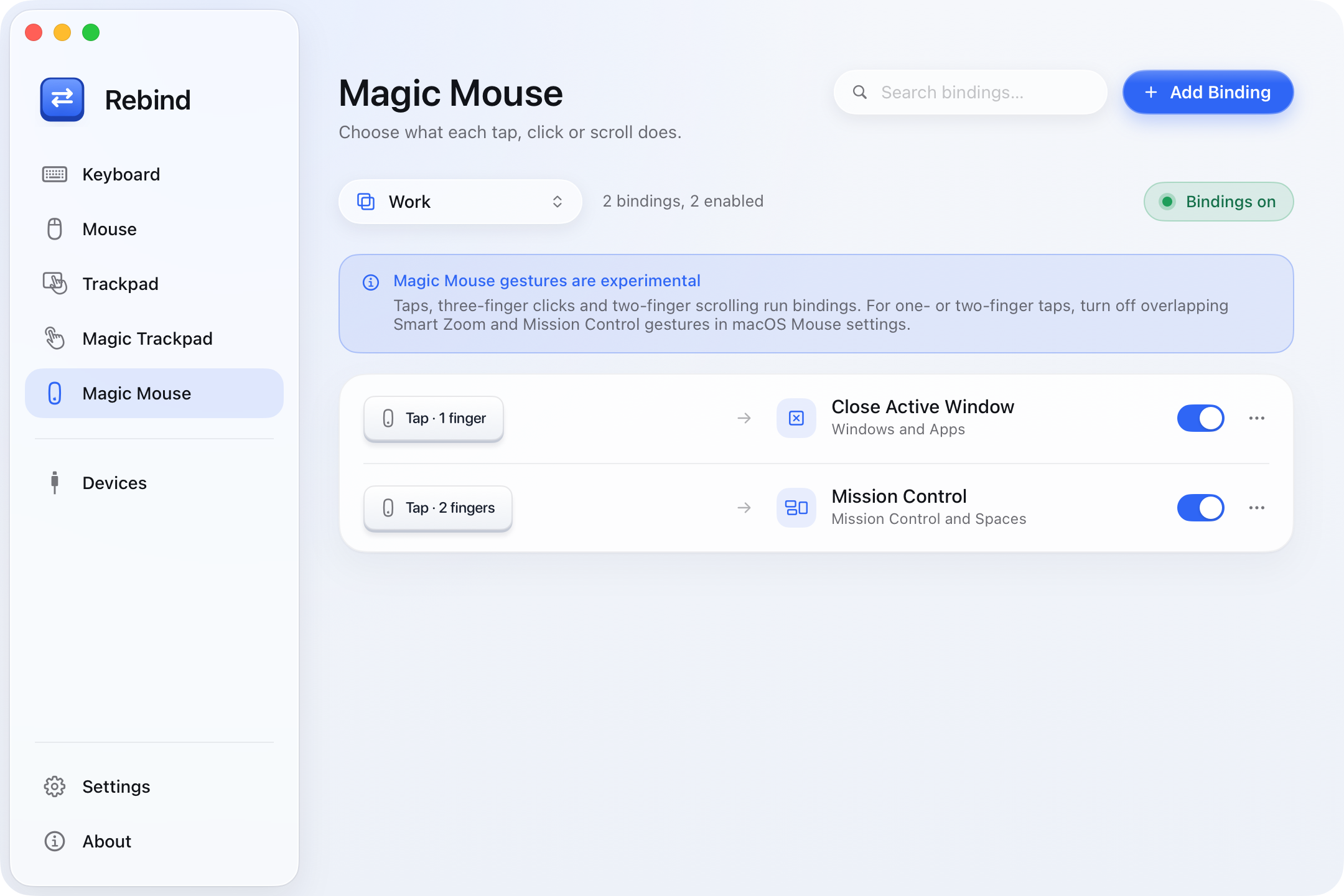
| Magic Mouse (Experimental) | Built-In Offline Starter Setups |
|---|---|
 |
 |
Rebind brings keyboard remapping, extra mouse buttons, drag gestures, per-mouse smooth scrolling, Logitech HID++ hardware controls, and curated touch gestures into one fast native Swift app, without Electron, heavy vendor suites, accounts, or telemetry.
- Accessibility only: never asks for Input Monitoring, never logs keystrokes, and starts paused with zero bindings.
- Fail-open by design: press ⌃⌥⇧⌘ Escape anytime to pause all rules immediately; errors fall back to normal macOS input.
- 100% local: rules and profiles stay in plain JSON inside
~/Library/Application Support/Rebindwith automatic rolling backups.
Requires macOS 15 Sequoia or later (Universal binary).
brew install --cask blinks44/tap/rebind
- Download
Rebind.dmgfrom the latest release (optional verification viaSHA256SUMS.txt). - Open the DMG and drag Rebind into Applications.
- Follow the first-run guide to grant Accessibility permission.
First launch note: Rebind is signed with a stable certificate so Accessibility permissions survive updates, but is not yet notarized by Apple. If macOS blocks the first launch, click Open Anyway in System Settings → Privacy & Security, or clear the quarantine attribute:
xattr -dr com.apple.quarantine /Applications/Rebind.app
Triggers
- Keyboard: physical keys and shortcuts with Press, Double Press, and Hold (with optional separate short-press action).
- Mouse: Button 4/5+, middle click, extra gaming mouse buttons, Button + Movement gestures (4 directions), and Button + Wheel chords.
- Trackpad & Magic Trackpad (Experimental): 12 curated presets including 3-/4-finger taps, 2-finger double taps, multi-finger clicks, and corner taps, with optional held modifier key.
- Magic Mouse (Experimental): 8 curated presets including 2-finger taps/clicks, side taps, and 3-finger scroll.
Hardware & Scrolling
- Independent wheel direction: reverse vertical and horizontal mouse scrolling without affecting trackpad natural scrolling.
- Per-mouse smooth scrolling: tune glide strength (Gentle, Standard, Strong) and wheel speed separately per mouse.
- Logitech HID++ 2.0: configure pointer speed (DPI), SmartShift mode and sensitivity, High-resolution wheel, Gesture button, live menu bar battery charge, and compatible keyboard lighting (e.g. G915 TKL). Warns when Logi Options+ or G HUB is active.
Actions & Profiles
- Unified action catalog: shortcuts, named macOS commands, modifier holds, mouse clicks/scroll, Insert Text (stored locally in plain text), window tiling (halves, quarters, Fill, Center, Fill with Left Margin, Fill Centered, next display), Mission Control & Spaces, media/volume/brightness, lock/sleep, open app/file/URL, Apple Shortcuts, pause/profile switch.
- Profiles & Starter Setups: per-app rules, excluded apps (e.g. games/VMs), manual profile switching from the menu bar, JSON import/export, and 4 built-in offline Starter Setups (Browser Navigation, Window Management, Magic Mouse Basics, Mouse Basics) with trigger & conflict preview.
- Menu bar & updates: live multi-device battery percentages, inline DPI slider, Ed25519-signed Sparkle updates, and 6 UI languages (English, Russian, German, French, Spanish, Simplified Chinese).
Honest scope: Caps Lock and Fn remapping, Magic Mouse swipes/holds, trackpad swipes/pinch/rotate, and the Logitech thumb wheel as a trigger are not supported. Trackpad and Magic Mouse touch capture rely on private macOS APIs and are marked Experimental. See docs/CAPABILITIES.md for the full hardware verification matrix.
| Path | Contents |
|---|---|
apps/rebind/ |
Native macOS app (Xcode project, Swift 6 sources, local HIDPP package, Swift Testing suite, scripts/dev.sh, scripts/release.sh) |
apps/website/ |
Public landing page (rebind.moduix.dev): TanStack Start, React 19, @moduix/react, Paraglide i18n, Cloudflare Workers |
docs/ |
Product spec, design guidelines, capability matrix, user/dev/release guides, and verification records |
Requires full Xcode with a Swift 6.2+ compiler and a macOS 26+ SDK.
apps/rebind/scripts/dev.sh doctor   # check Xcode toolchain & targets
apps/rebind/scripts/dev.sh run      # build Debug and launch Rebind.app
apps/rebind/scripts/dev.sh test     # run Swift Testing suite
You can also open apps/rebind/rebind.xcodeproj in Xcode, select the rebind scheme, and press ⌘R. See docs/DEVELOPMENT.md and docs/RELEASING.md for signing and DMG packaging details.
| Area | Stack |
|---|---|
| Language & UI | Swift 6 language mode, SwiftUI, AppKit, Observation |
| Input & Actions | Quartz Event Services (CGEventTap), Accessibility, NSWorkspace, Core Audio, IOKit |
| Mice & HID++ | IOKit HID, Logitech HID++ 2.0 via vendored HIDPP package |
| Storage & Updates | Atomic versioned JSON, String Catalogs (6 languages), Sparkle 2 (Ed25519 signed) |
Full third-party licenses live in NOTICE.txt and ThirdPartyNotices.txt.
- Sparkle (MIT): signed in-app updates.
- LinearMouse (MIT): vendored
HIDPPpackage, smooth scrolling glide approach, and high-res scroll reversal scaling. - Solaar (GPL-2.0): HID++ SmartShift & device name payload reference only (no code copied).
- Hammerspoon (MIT), spacekit (MIT), Sanne (MIT), and Subsurface (Apache-2.0).
- Hearth: Local dev environment dashboard for runtimes, projects, Docker, Kubernetes, databases, and AI agents.
- Monny: Native macOS system monitor for CPU, memory, disk, network, Apple silicon sensors, and AI usage quotas.
Released under the MIT License. Made by Sergey V. (@TheBlinks182).