GeezerVison is showing rebind.moduix.dev — Rebind · Keyboard, mouse, trackpad & Logitech remapping for macOS
Free & open-source · macOS 15+ · Native Swift
Remap every key, mouse button, wheel, and gesture on macOS.
One fast native Swift app for keyboards, multi-button and Logitech HID++ mice, per-mouse smooth scrolling, Trackpad and Magic Mouse gestures, and per-app profiles. Local only, zero telemetry.
Combine physical keys, mouse chords, Logitech hardware controls, and curated touch gestures with one unified searchable action catalog.
Physical keys, hold timing, and per-app rules
Bind any key or shortcut to another shortcut, named macOS command, window layout, Insert Text snippet, or Apple Shortcut. Split Press, Double Press, and Hold cleanly on the same key.
Works per physical key so bindings stay consistent across keyboard layouts.
Scope rules to specific apps or exclude apps where defaults should stay untouched.
Built-in window tiling: halves, quarters, Fill, Center, Fill with Left Margin, and next display.
Try trigger timing
Hold F13 (320 ms)→Mission Control
Tap stays untouched while a sustained hold triggers your shortcut.
Side buttons, movement gestures, and wheel chords
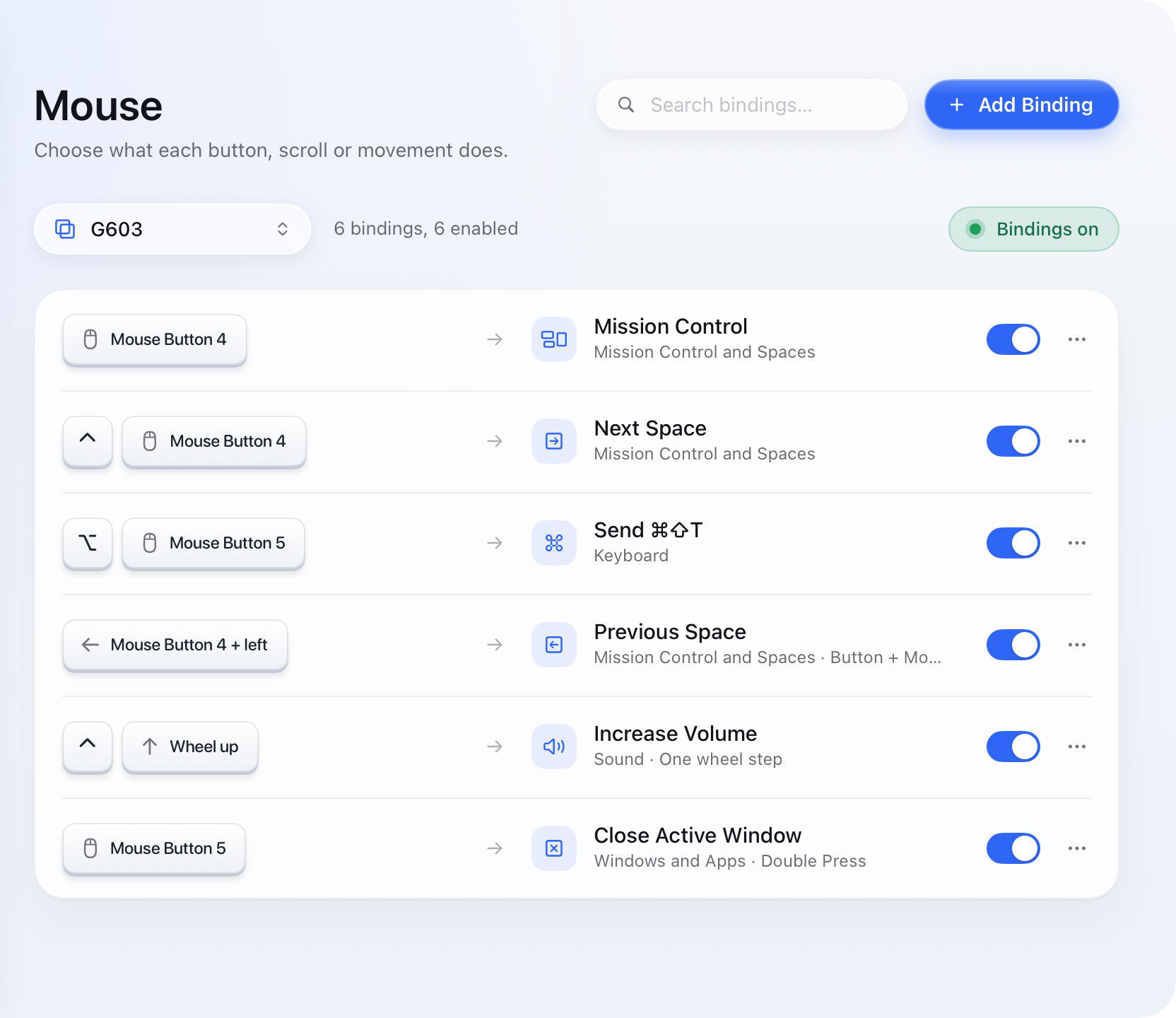
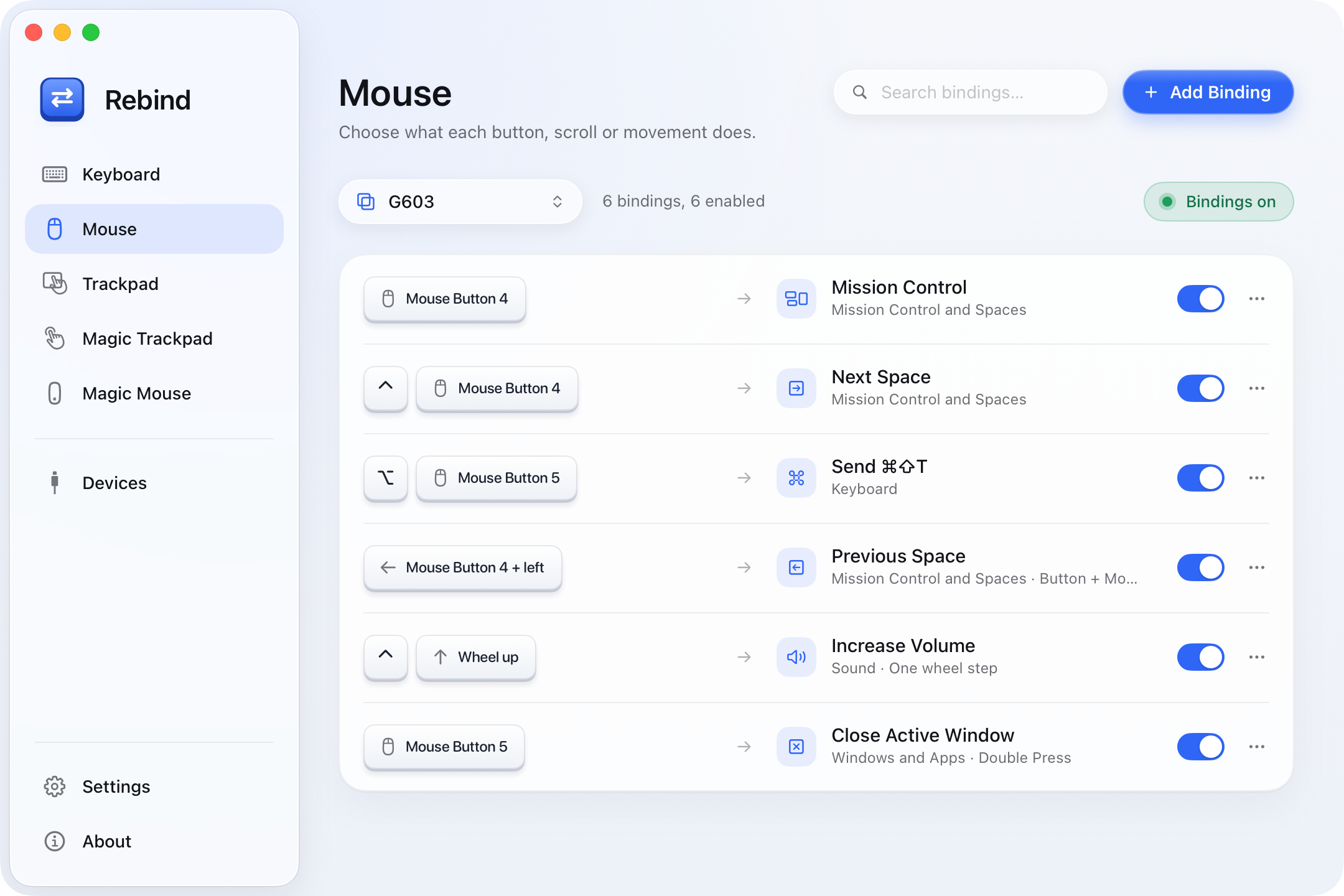
Turn extra mouse buttons into navigation, Spaces, Mission Control, or custom chords. Hold any button and move in four directions, or combine a button with the scroll wheel.
Supports Button 4, Button 5, middle click, and extra gaming mouse buttons.
Combine short press, long hold, Button + Movement, and Button + Wheel on one mouse.
Rebind flags conflicting triggers before you save so rules never silently fight each other.
Preview Button + Movement gesture
Side 4 + ↑→Mission Control
Logitech HID++ hardware & per-mouse smooth scroll
Configure compatible Logitech mice and keyboards directly over HID++ 2.0 without bloated background suites. Reverse mouse wheel direction independently from your trackpad and tune smooth scrolling per mouse.
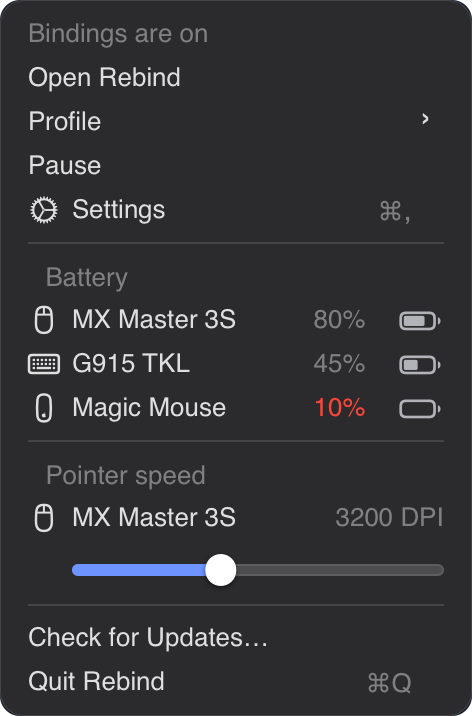
Adjust DPI pointer speed, SmartShift mode and sensitivity, High-resolution wheel, and Gesture button.
Reverse vertical and horizontal mouse scroll without flipping trackpad natural scrolling.
Switch profiles from the menu bar, export or import clean JSON backups, and start fast with four curated Starter Setups shipped right inside the app.
Includes Browser Navigation, Window Management, Magic Mouse Basics, and Mouse Basics.
Every Starter Setup previews exact triggers, actions, and any conflicts before applying.
All profiles live locally as plain JSON in Application Support, so they are easy to back up or sync yourself.
Accessibility only, fail-open safety, and zero cloud
Rebind is engineered so a bad binding can never lock you out of your Mac. New installs start paused with zero bindings, and a hardware-safe emergency chord pauses the engine at any time.
Requires only macOS Accessibility and never asks for Input Monitoring permission.
Press ⌃⌥⇧⌘⎋ anytime to pause all remapping immediately; errors fail open to standard macOS input.
No account, no analytics, and Ed25519-signed Sparkle updates checked only when you allow it.
Inside Rebind
Real native SwiftUI screens, zero Electron
Click any screen to inspect it at full 1:1 Retina clarity in Light or Dark mode.
UNIFY YOUR INPUT STACK
One native Swift app instead of five utilities.
Replace a 1 GB vendor suite and three separate mouse and window utilities with one native app for scrolling, DPI, and extra buttons on macOS.
Permissions, Logitech coexistence, Experimental touch support, and updates.
Rebind uses macOS Accessibility APIs to remap keys, mouse buttons, scrolling, and window layouts cleanly. It deliberately avoids Input Monitoring, does not log what you type, and starts paused with zero rules until you create or apply one.
Rebind is signed with a stable certificate so Accessibility permissions persist across updates. If macOS asks to confirm the first launch after dragging Rebind to Applications, open System Settings → Privacy & Security and click Open Anyway.
You can keep them installed, though running two HID++ controllers against the same mouse at once can cause settings like SmartShift or DPI to overwrite each other. Rebind detects running Logitech suites in the Devices tab and warns you if both are active.
macOS does not expose public APIs for custom multi-finger taps or Magic Mouse touch gestures. Rebind relies on carefully bounded private multitouch observers and curated presets, so those tabs are clearly labeled Experimental in case a future macOS update changes behavior.
Rebind uses Sparkle 2 with an Ed25519-signed appcast hosted on GitHub Releases. You can also update via brew upgrade --cask blinks44/tap/rebind or verify any DMG against SHA256SUMS.txt.
Everything is stored locally as human-readable JSON inside ~/Library/Application Support/Rebind. You can export or import profiles from Settings anytime. Note that Insert Text actions are stored in plain text locally, so avoid placing secrets or passwords in text snippets.
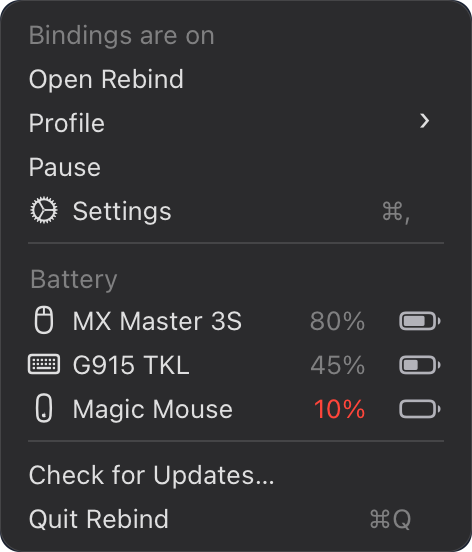
Yes for everyday Logitech HID++ 2.0 mice and compatible keyboards. Rebind controls DPI, SmartShift mode and sensitivity, Hi-Res wheel, Gesture button, live menu bar battery charge, and G915 lighting natively, with zero accounts, zero telemetry, and a built-in conflict warning if Logi Options+ is still running.
Yes. Rebind distinguishes discrete mouse wheel events from trackpad gestures, so your MacBook trackpad keeps natural scrolling while external mice scroll in classic direction with optional Gentle, Standard, or Strong smooth glide.
You are visitor 01402775 — GeezerVison does not store the pages you look up. Best viewed with Netscape Navigator 4.7 or Internet Explorer 6 at 800×600. No cookies required.