GV

GeezerVison

The World Wide Web, restored to 800 pixels of glory.

Home|About|Gaming cabinet|Archives|How it works|Starter sites

On this site

  • Products
  • VisualGDB
  • CodeVROOM
  • VisualKernel
  • SourceVu
  • SmarTTY
  • GNU Toolchains
  • WinCDEmu
  • WinFlashTool
  • Legacy Products
  • Downloads
  • VisualGDB
  • CodeVROOM
  • VisualKernel

This view

  • Original page
  • New address

GeezerVison is showing sysprogs.com — CodeVROOM - Download

  • Download

    • Get CodeVROOM
    • Buy CodeVROOM
    • Version history
  • Documentation

    • Documentation
    • Version History

Download

You can download the latest version of CodeVROOM here. The download includes both the free version and a trial of the advanced features, and can be converted into a registed version by entering a license key.

Choose your operating system below to begin downloading:
CodeVROOM-0.7.exe
28 MB
CodeVROOM-0.7.tar.xz
54 MB
CodeVROOM-0.7.dmg
72 MB
Every download includes a portable version and an installer.

System Requirements

  • Microsoft Windows 10 or later (uses .Net framework)
  • Linux (AMD64 or ARM64)
  • MacOS 13.0 and later (Apple Silicon)

Installation Instructions


Windows

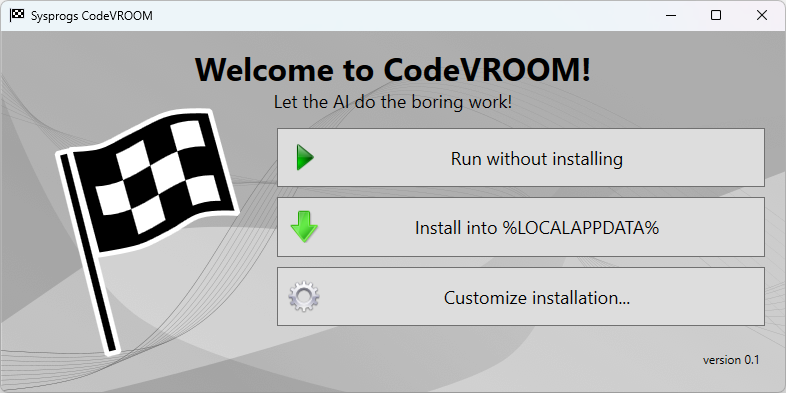
  • Download and run the Windows executable
  • Click "Run without installing" to launch it without installation or one of the install buttons to install it
  • Use Add/Remove Programs to uninstall and/or delete %LOCALAPPDATA%\CodeVROOM to reset settings

MacOS

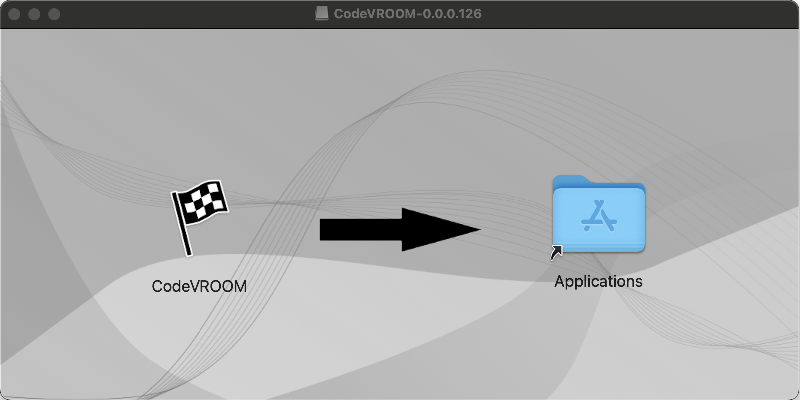
  • Download and mount the .dmg file
  • Launch the executable from the dmg file to try it out, or drag it into the Applications folder to install
  • Drag the application folder into trash to uninstall it and/or delete $HOME/.codevroom to reset settings


Linux

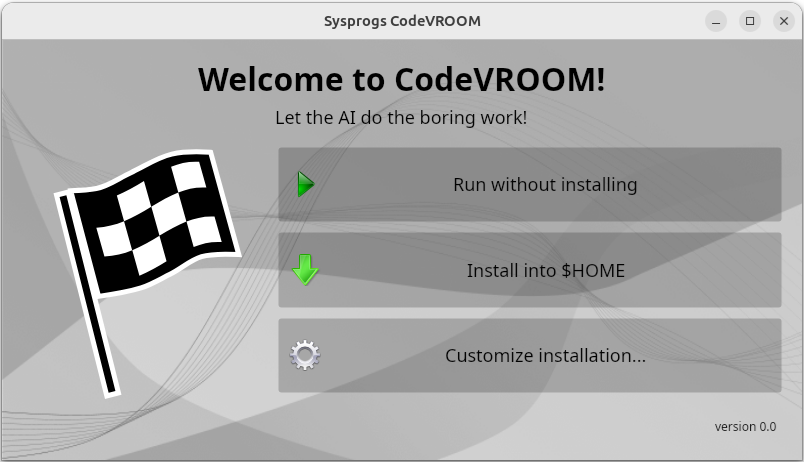
  • Download and unpack the tarball
  • Launch the executable for your platform (CodeVROOM-x64 or CodeVROOM-arm64)
  • Click "Run without installing" to launch it without installation or one of the install buttons to install it
  • Use the uninstall.sh script in the installation directory to uninstall it and/or delete $HOME/.codevroom to reset settings


License

You can find the CodeVROOM EULA here.
You are visitor 01402503 — GeezerVison does not store the pages you look up.
Best viewed with Netscape Navigator 4.7 or Internet Explorer 6 at 800×600. No cookies required.