GeezerVisonThe World Wide Web, restored to 800 pixels of glory. |
| Home|About|Gaming cabinet|Archives|How it works|Starter sites |
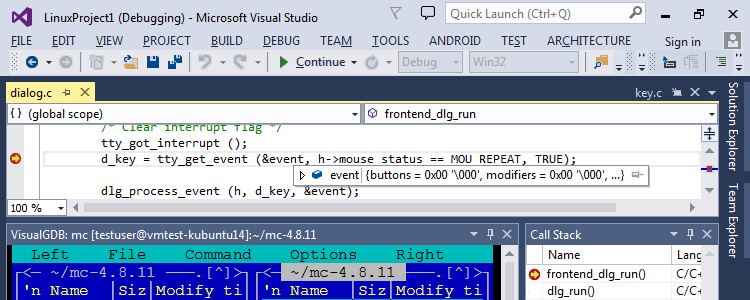
GeezerVison is showing visualgdb.com — VisualGDB - Serious cross-platform support for Visual Studio Go cross-platform with comfortVisualGDB makes cross-platform development with Visual Studio easy and comfortable. It supports:
VS2008-2026 including the free Community Edition are supported. 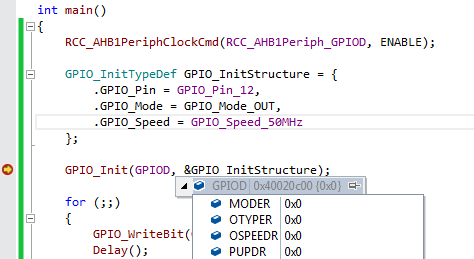
Focus on your product, not the toolsVisualGDB will automatically install and configure the necessary tools:
All you need to do is choose your device from the list and start developing! VisualGDB can also easily import your existing code or debug code that is built elsewhere. 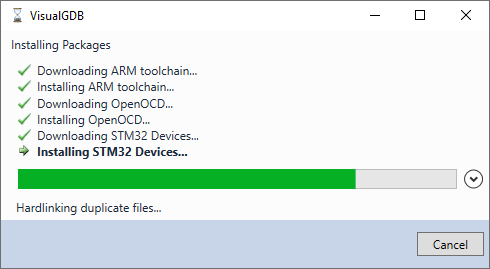
Advanced Build Output WindowVisualGDB can make sense of complex multi-line error messages from GCC, Keil and IAR compilers. It will show template instantiations, include stack for errors in header files, and other information that helps quickly understand what breaks the build. You can quickly switch back and forth between the error messages and a specific location in the build log, where VisualGDB will highlight the important messages and make all paths clickable. 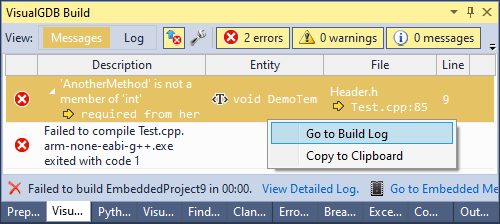
Advanced CMake Integration and DebuggerVisualGDB supports advanced CMake project subsystem, with 2-way synchronization between the CMakeLists files and Solution Explorer enabling you to:
For advanced CMake projects, VisualGDB can access source files on remote Linux machines directly via SSH, without needing to store 2 copies of each file and synchronize them. 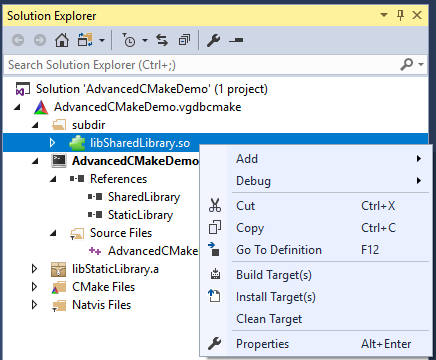
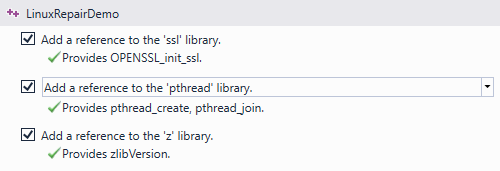
Automatic Error TroubleshootingVisualGDB can automatically troubleshoot common C/C++ errors:
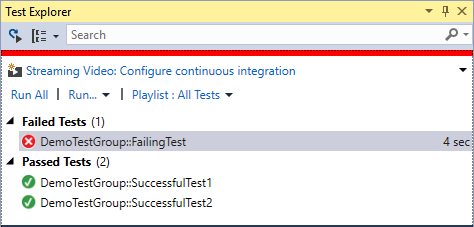
Seamless Support for Unit TestsVisualGDB integrates popular CppUTest and GoogleTest frameworks in Visual Studio and provides an easy API to integrate custom frameworks. With one click of a mouse you can run/debug tests on:
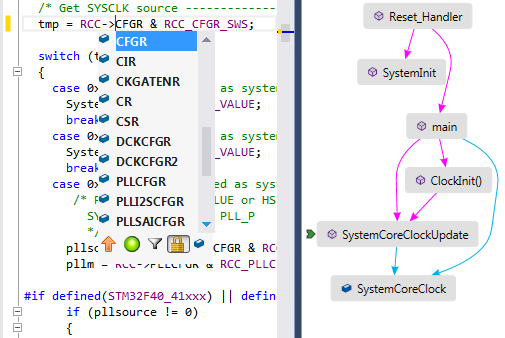
Advanced IntelliSense with refactoringVisualGDB includes a powerful Clang-based IntelliSense engine that fully supports GCC-specific code and is integrated with embedded and Linux tools. Advanced features include:
Fast and flexible project buildingVisualGDB includes an high-performance MSBuild back-end optimized for lightning fast builds of Embedded and Linux projects and automatic and precise IntelliSense. If your project already uses GNU Make, CMake or QMake, you can easily import it into VisualGDB and have your IntelliSense and settings managed automatically. 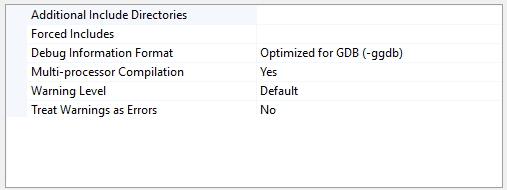
Powerful Linux profilingVisualGDB takes profiling an dynamic analysis of Linux programs to a new level. Featuring the extremely scalable profiling database format VisualGDB lets you conveniently explore the performance of your program and relations between different parts ot it. Switch between function tree, global function list and detailed per-line view to quickly find and compare the information you need. 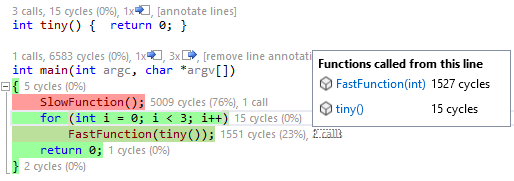
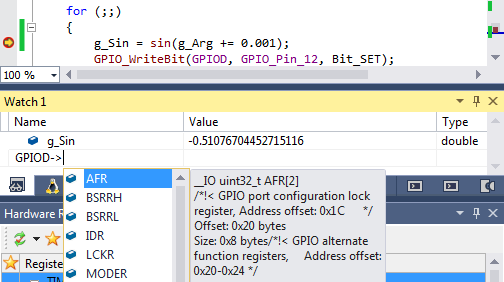
Powerful debugging experienceVisualGDB provides consistent Visual Studio debugging experience for local, SSH-based, JTAG-based debugging and many more. You hit F5, VisualGDB does the rest. Advanced debug features include:
Easy interface for complex toolsVisualGDB provides graphical interface for editing common settings of most widely used build tools from GNU/Linux:
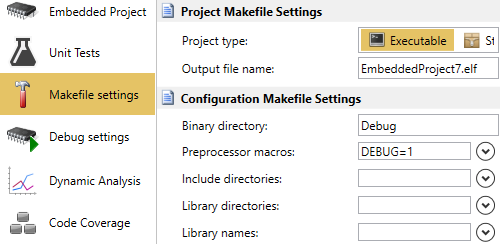
Suggestion Popups and Error CheckingThe VisualGDB GUI is designed to make you productive at every task. This includes automatic suggestions of common variables and file/folder paths across VisualGDB Project Settings, as well as automatic troubleshooting of common build and deployment errors. 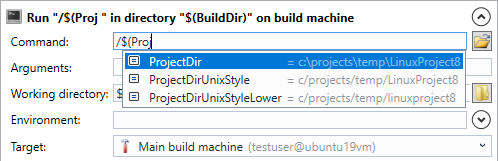
Integration with Team Foundation ServerVisualGDB features an open-source TFS plugin for easy out-of-the-box building of VisualGDB projects. Simply install the plugin to your TFS build server and build Make, CMake, or QMake-based VisualGDB projects easily and automatically with no need to install a separate instance of Visual Studio.
Easily share settings with your teamVisualGDB includes a convenient mechanism for sharing numerous types of settings and presets with your entire team. Simply configure a shared settings directory and then instantly share remote hosts, aliases, toolchain definitions, embedded packages, quick debug settings and common preferences to all computers using the same shared settings directory. Configure team settings on your TFS build server and never experience the need to manually keep the global settings up-to-date. 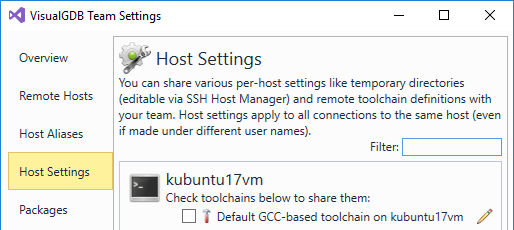
Powerful Custom ActionsCustomize the building, cleaning, loading and debugging experience of your projects with a library of powerful custom actions for running commands, synchronizing files or folders or setting context-specific variables. 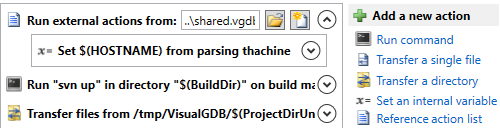
First-class support and extensive tutorialsVisualGDB license comes with one year of free updates and technical support that can be renewed afterwards. To get the best out of VisualGDB for your platform, try browsing through more than 100 tutorials covering scenarios from FreeBSD to WiFi SoCs or hundreds of topics on our forum. We also provide a support system and email support for both registered and trial users. 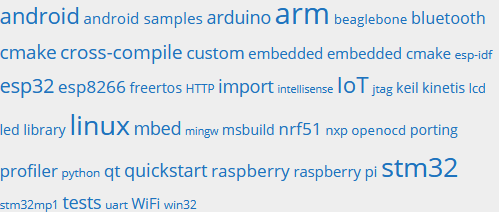
If you're doing really serious IoT or embedded work, native Android libraries, Linux kernel modules, or small boards like Raspberry PIs, check out VisualGDB which is an amazing and very complete 3rd party add in for Visual Studio!  programmer, teacher, speaker
If you are not using VisualGDB for cross-platform development, you are insane. There is no defensible position for not using it if you need/want to bring the power of Visual Studio to alternate platforms. It is either a seamless experience with VisualGDB or a monstrous mastery of a million disparate tools and husbandry. Choose where you want to spend your time; getting stuff done or mucking about.  co-founder & CEO
Infusion
I just wanted to tell you the great experience we have had using your product. Most of our PC development is done with Visual Studio but our Linux development has suffered because we had to use an unsupported eclipse environment. The debugging was always terrible and we mostly did printf debugging because of the difficulty in getting the debugger to work. Your stuff works great with our custom built Cygwin tool chain and has saved me countless hours of debugging. I can now focus on the application and do not think too much about the debugging. Job well done.
Joel Grimes
Sr. Software Engineer
A&D Technology
|
| You are visitor 01402503 — GeezerVison does not store the pages you look up. Best viewed with Netscape Navigator 4.7 or Internet Explorer 6 at 800×600. No cookies required. |