GV

GeezerVison

The World Wide Web, restored to 800 pixels of glory.

Home|About|Gaming cabinet|Archives|How it works|Starter sites

On this site

  • Products
  • VisualGDB
  • CodeVROOM
  • VisualKernel
  • SourceVu
  • SmarTTY
  • GNU Toolchains
  • WinCDEmu
  • WinFlashTool
  • Legacy Products
  • Downloads
  • VisualGDB
  • CodeVROOM
  • VisualKernel

This view

  • Original page
  • New address

GeezerVison is showing sysprogs.com — SmarTTY - a multi-tabbed SSH client with SCP support
SmarTTY

A multi-tabbed SSH client with SCP support.

Download Portable Version
product logo

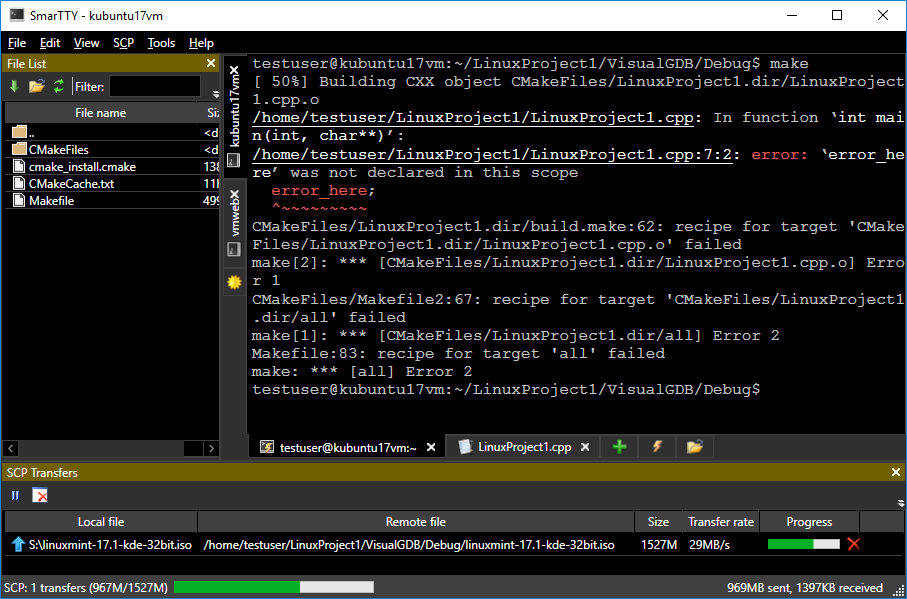
SmarTTY is a free multi-tabbed SSH client that supports copying files and directories with SCP on-the-fly and editing files in-place.

New in version 3.0: Smart Terminal with auto-completion, file panel, package management GUI and more.

One SSH session - multiple tabs

Most SSH servers support up to 10 sub-sessions per connection. SmarTTY makes the best of it: no annoying multiple windows, no need to relogin, just open a new tab and go!

Smart Terminal Mode
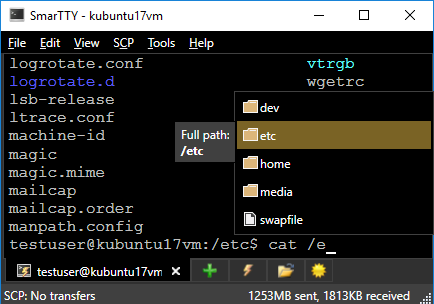
  • Automatic completion for files, folders and recent commands
  • Easy file navigation panel for viewing files in current directory
  • Clickable <file>:<line> links in command output
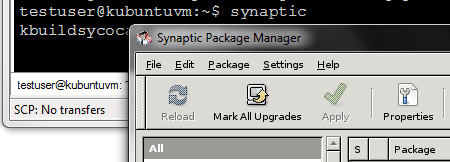
  • Easy-to-use GUI for APT and YUM package managers

Transfer files and whole directories

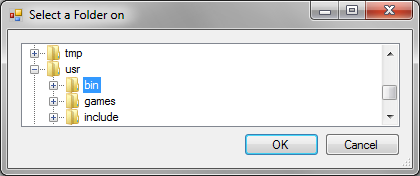
  • Explore remote directory structure with Windows-style GUI
  • Download and upload single files with SCP protocol
  • Transfer entire directories with recursive SCP
  • Quickly send and receive directories with on-the-fly TAR

Edit files in-place

Select "File->Open" to open an editor tab for a remote file:
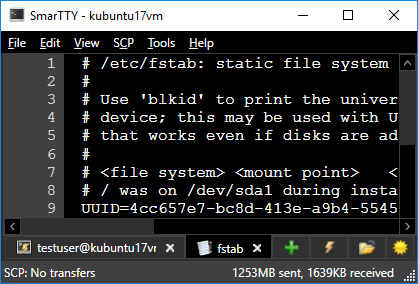
  • Native Windows file editing look & feel
  • Automatic CRLF to LF conversion
  • Option to invoke 'sudo' to save protected files

Built-in hex terminal for COM ports

Simply select "Setup new serial or TCP connection" to conveniently communicate with your embedded device:
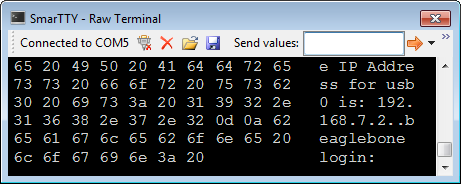
  • View data in ASCII, HEX or both
  • Save communication logs to files
  • Automatically group data packets based on time of arrival

Out-of-the-box public-key auth

SmarTTY can automatically configure public key authentication for selected remote computers:
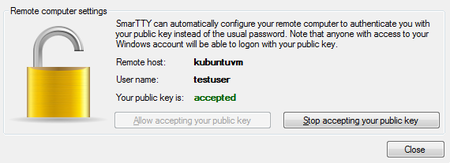
  • No need to enter your password each time
  • Private key is securely stored in Windows key container
  • One-click configuration of remote host
  • Your Unix password is not stored anywhere

Run graphical applications seamlessly

SmarTTY comes with a pre-built XMing and VcXsrv X servers. The servers will be configured and started on-the-fly as soon as you launch a graphical application in terminal:

  • Remote X11 apps run out-of-the-box
  • No need to configure anything manually
You are visitor 01402503 — GeezerVison does not store the pages you look up.
Best viewed with Netscape Navigator 4.7 or Internet Explorer 6 at 800×600. No cookies required.