GeezerVisonThe World Wide Web, restored to 800 pixels of glory. |
| Home|About|Gaming cabinet|Archives|How it works|Starter sites |
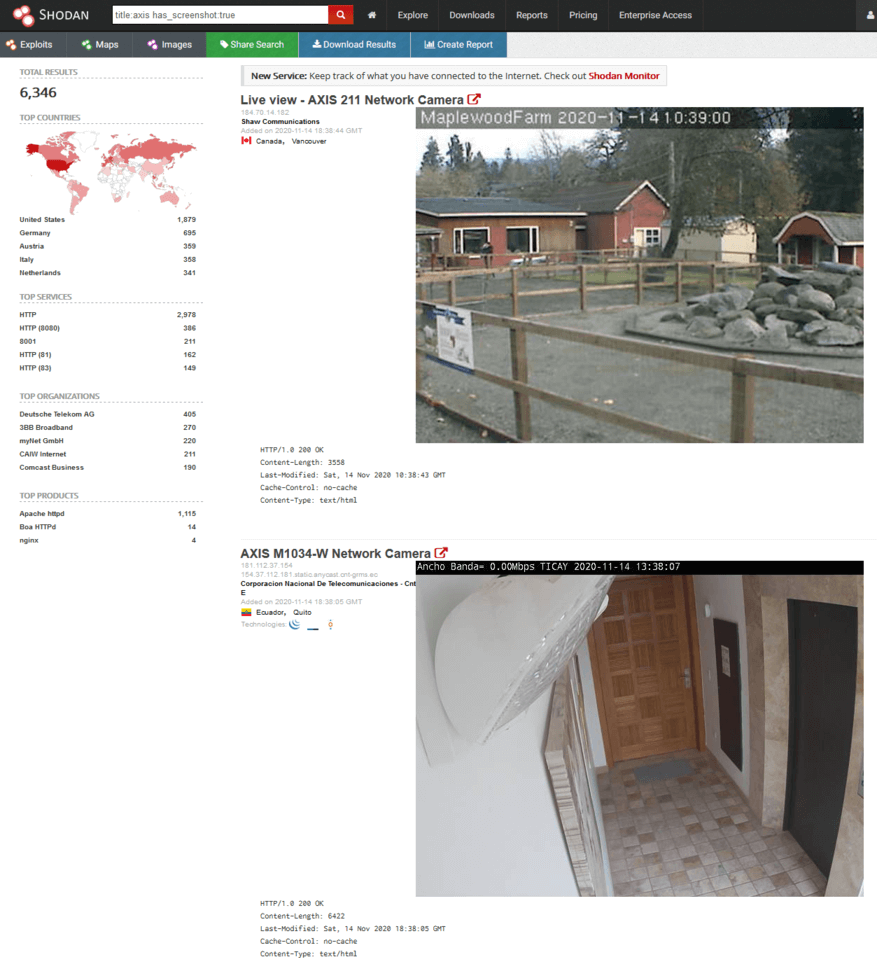
GeezerVison is showing thepythoncode.com — How to Use Shodan API in Python - The Python Code Welcome! Meet our Python Code Assistant, your new coding buddy. Why wait? Start exploring now! Public IP addresses are routed on the Internet, which means a connection can be established between any host having a public IP and any other host connected to the Internet without having a firewall filtering the outgoing traffic, and because IPv4 is still the dominantly used protocol on the Internet, it's possible and nowadays practical to crawl the whole Internet. There are several platforms that offer Internet scanning as a service, to list a few; Shodan, Censys, and ZoomEye. Using these services, we can scan the Internet for devices running a given service, and we can find surveillance cameras, industrial control systems such as power plants, servers, IoT devices, and much more. These services often offer an API, which allows programmers to take full advantage of their scan results; they're also used by product managers to check patch applications and to get the big picture on the market shares with competitors, and also used by security researchers to find vulnerable hosts and create reports on vulnerability impacts. Related: Build 35+ Ethical Hacking Scripts & Tools with Python Book In this tutorial, we will look into Shodan's API using Python and some of its practical use-cases. Shodan is by far the most popular IoT search engine. It was created in 2009 and features a web interface for manually exploring data, as well as a REST API and libraries for the most popular programming languages, including Python, Ruby, Java, and C#. Using most of Shodan features requires a Shodan membership, which costs 49$ at the time of writing the article for a lifetime upgrade, and which is free for students, professors, and IT staff. Refer to this page for more information. Once you become a member, you can manually explore data. Let's try to find unprotected Axis security cameras:
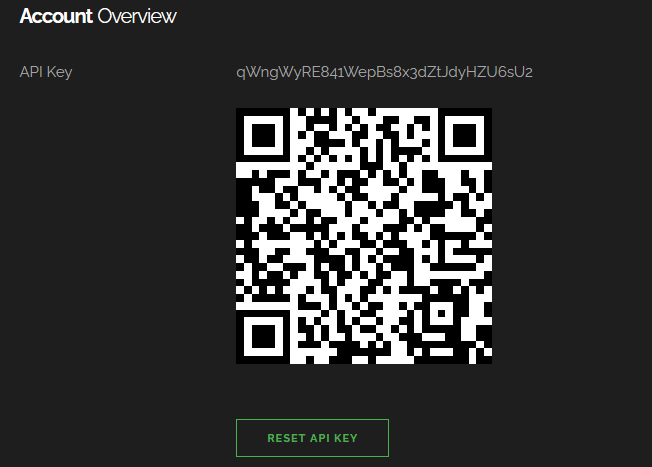
Now let's try to use Shodan API. First, we navigate to our account to retrieve our API key:
The example we gonna use in this tutorial is we make a script that searches for instances of DVWA (Damn Vulnerable Web Application) that still have default credentials and reports them. DVWA is an open-source project made for security testing; it's a web application that is vulnerable by design; it's expected that users deploy it on their machines to use it. We will try to find instances on the Internet that already have it deployed to use it without installing it. There should be a lot of ways to search for DVWA instances, but we gonna stick with the title, as it's straightforward:
Get: Build 35+ Ethical Hacking Scripts & Tools with Python Book Now let's write a function that queries a page of results from Shodan. One page can contain up to 100 results, and we add a loop for safety. In case there is a network or API error, we keep retrying with second delays until it works: Let's define a function that takes a host and checks if the credentials Related: How to Automate Login using Selenium in Python. The above function sends a GET request to the DVWA login page to retrieve the Let's write a function that takes a query and iterates over the pages in Shodan search results, and for each host on each page, we call the This can be improved significantly by taking advantage of multi-threading to speed up our scanning, as we could check hosts in parallel, check this tutorial that may help you out. Here is the script output:
Read also: How to Extract and Submit Web Forms from a URL using Python. ConclusionScanning for DVWA instances with default credentials might not be the most useful example, as the application is made to be vulnerable by design, and most people using it are not changing their credentials. However, using Shodan API is very powerful, and the example above highlights how it's possible to iterate over scan results and process each of them with code. The search API is the most popular, but Shodan also supports on-demand scanning, network monitoring, and more. You can check out the API reference for more details. Disclaimer: We do not encourage you to do illegal activities. With great power comes great responsibility. Using Shodan is not illegal, but brute-forcing credentials on routers and services are, and we are not responsible for any misuse of the API or the Python code we provided. Check the full code here. Finally, in our Ethical Hacking with Python Ebook, we've built 35+ hacking tools from scratch using Python. Make sure to check it out here if you're interested! Learn also: How to Build a SQL Injection Scanner in Python. Happy Hacking ♥ Finished reading? Keep the learning going with our AI-powered Code Explainer. Try it now!
Sharing is caring!
Read also
How to Brute Force ZIP File Passwords in PythonLearn how to crack zip file passwords using dictionary attack in Python using the built-in zipfile module. 
How to Make a Subdomain Scanner in PythonLearning how to build a Python script to scan for subdomains of a given domain using requests library. 
How to Build a WiFi Scanner in Python using ScapyBuilding a Wi-Fi scanner in Python using Scapy that finds and displays available nearby wireless networks and their MAC address, dBm signal, channel and encryption type. CommentsGot a coding query or need some guidance before you comment? Check out this Python Code Assistant for expert advice and handy tips. It's like having a coding tutor right in your fingertips! |
| You are visitor 01402520 — GeezerVison does not store the pages you look up. Best viewed with Netscape Navigator 4.7 or Internet Explorer 6 at 800×600. No cookies required. |
 To get started with Python, we need to install
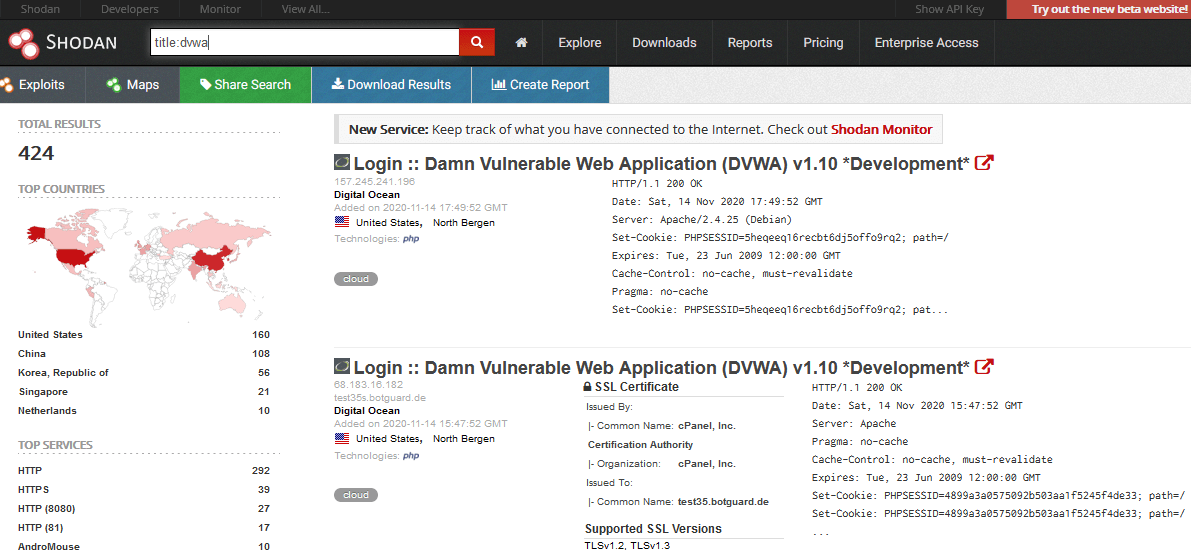 The difficulty with doing this task manually is that most of the instances should have their login credentials changed. So, to find accessible DVWA instances, it's necessary to try default credentials on each of the detected instances, we'll do that with Python:
 As you can see, this Python script works and reports hosts that have the default credentials on DVWA instances.