GeezerVisonThe World Wide Web, restored to 800 pixels of glory. |
| Home|About|Gaming cabinet|Archives|How it works|Starter sites |
GeezerVison is showing happycoding.io — Using Objects Using ObjectsUsing Objects
Now you know how to create variables including arrays, and you know how to use You know that variables and values have a type, which tells the computer what kind of value it is. This tutorial introduces a new kind of type: objects. Objects help you combine a group of related variables and functions into one unit, which helps you organize your code. Primitive TypesSo far, you’ve been using primitive types like When you read this line of code, you know that ExampleLet’s start with some code that uses two primitive values to show a falling circle:
Code Editor
?
See the Pen by Happy Coding (@KevinWorkman) on CodePen. This code uses primitive The Bad Way: Parallel ArraysNext, let’s say you wanted to show multiple falling circles instead of just one. You might use one array to hold x values, and another array to hold y values:
Code Editor
?
See the Pen by Happy Coding (@KevinWorkman) on CodePen. This code uses two arrays: one that holds the x values of the circles, and another that holds the y values. This approach of using multiple arrays to hold related data is called parallel arrays. This approach works, but it’s generally considered a bad idea because it can be difficult to understand code that uses a bunch of different arrays. ClassesYou know that a type tells the computer what kind of value a variable will hold. You’ve seen primitive types like Primitive types hold a single value, and object types hold multiple related values. But how do you know what those related values are? A class tells you about a particular object type. Similar to how you looked up primitive types in the reference, you can also find classes in the reference. Specifically, let’s look at the PVector class. InstancesA class is like a template that tells you what’s available inside an object. For example, the PVector reference tells you that the That means you can create a variable with an object type of To create an object, use the The Now that you have this variable, you can use the dot operator to set the fields of that instance: Now the (You could also set the You can also use the dot operator to access those fields, and you can pass them into a function just like any other value: Putting it all together, it looks like this:
Code Editor
?
See the Pen by Happy Coding (@KevinWorkman) on CodePen. This code creates a ConstructorsTake a closer look at this line: The The above constructor does not take any parameters, and the But like functions, constructors can also take arguments, passed in as comma-separated values inside the For example, instead of setting the And here’s the original example using a
Code Editor
?
See the Pen by Happy Coding (@KevinWorkman) on CodePen. This code uses a Multiple InstancesOne of the most important concepts to understand with objects is that each instance is independent of other instances of the same class. Changing one instance doesn’t change the other instances. For example, this code creates two
Code Editor
?
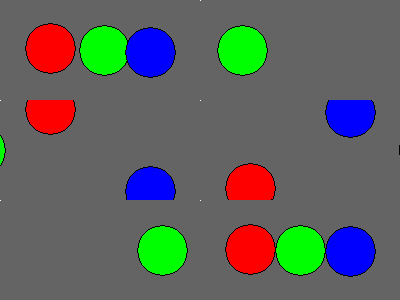
See the Pen by Happy Coding (@KevinWorkman) on CodePen. This code creates two This is a powerful idea, and it lets you organize your code as it gets more complicated. It’s also pretty confusing, and “thinking in objects” can take some time. Try changing the above code to add a green circle using a third The Good Way: Object ArraysJust like you can create an array of primitive values, you can also create an array of objects: This line of code creates a This Then you can loop over the array to move and draw each circle: Putting it all together, it looks like this:
Code Editor
?
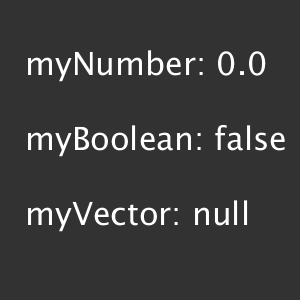
See the Pen by Happy Coding (@KevinWorkman) on CodePen. Thinking in ObjectsObjects are a new way of organizing your code, but more importantly, they’re a new way of thinking about your code. For example, when you think of a bunch of falling circles, you probably don’t think of them as a bunch of x values and a bunch of y values. You probably think of each circle as a cohesive unit, where each unit has an x and y value. Objects let you structure your code closer to how you structure the ideas in your brain. This new way of thinking can be confusing. I remember being frustrated by it when I first started learning. But I also remember having an “ah-ha!” moment after working with objects for a while, where I finally understood them. I honestly believe that it has affected the way I’ve thought about not just code, but also the real world ever since. So if all of this still feels confusing, that’s okay! It’ll become more natural as you write more code and see more examples that use objects. This way of “thinking in objects” is called object oriented programming and it’s at the core of many languages and libraries. NullPointerExceptionLike I’ve said before, encountering errors and needing to debug problems is a normal part of writing code. And now that you’re using objects, you’re very likely to encounter a new type of error: the dreaded For example, what do you expect happens when you run this code? You might expect this sketch to draw a circle in the upper-left corner, with an Default Values and NullTo understand this error, think about the default values of sketch-level variables. For primitive number types like
In other words, if you don’t specify a value, then you can pretend that you’ve specified the defaults: The That’s why this code generates a This code tries to get the To fix a Also note that the same thing is true of object arrays! For example: This line of code creates an array that can hold 10 You would get a When you encounter a You can learn more about debugging here: Object FunctionsNow you’ve seen that classes contain fields. For example, the In addition to containing fields, classes can also contain functions. Functions inside a class usually modify the state of an instance by changing the values of its fields, or they take some action based on the values of the fields. As always, the Processing reference is your best friend. The PVector reference lists all of the functions you can call for instances of the To call an instance’s function, use the dot operator, then the name of the function, then any parameters the function requires in parentheses
Code Editor
?
See the Pen by Happy Coding (@KevinWorkman) on CodePen. Specifically, notice this line of code: This line of code calls the This might not seem very useful yet, but it comes in handy when you start using more complicated objects. Homework
Using Objects Examples |
| You are visitor 01402503 — GeezerVison does not store the pages you look up. Best viewed with Netscape Navigator 4.7 or Internet Explorer 6 at 800×600. No cookies required. |