GeezerVisonThe World Wide Web, restored to 800 pixels of glory. |
| Home|About|Gaming cabinet|Archives|How it works|Starter sites |
GeezerVison is showing www.fullstackpython.com — Text Editors and IDEs Text Editors and IDEsText editors and integrated development environments (IDEs) are applications for writing code. These applications are the primary user interface for developers to create their own programs.
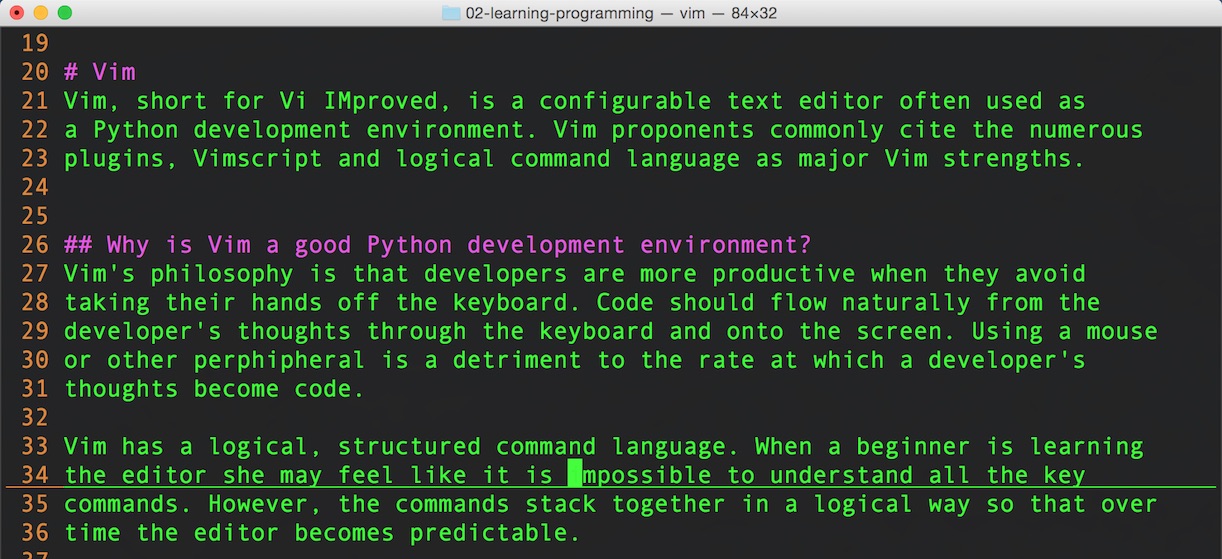
Vim is an example of a text editor implementation that can be expanded into a full Python IDE using configuration files and plugins. Text editors and IDEs are a concept implemented by Vim, Emacs, Sublime Text, Jupyter Notebook and several other applications. Learn how the parts fit together in the development environments chapter or view all topics.
Why is a text editor or IDE necessary?Where will you write your code if you do not have a text editor? Your development environment must include a text editor so you can enter, edit and delete characters to create Python applications. Preferrably your editor will have a monospace font. It will also get out of your way, so no "smart" correction or automatic letter capitalization. The more comfortable you become in your editor of choice the faster you can figure out how to implement that next feature in your application or squash that pesky bug that you just found. What's the difference between editors and IDEs?IDEs contain text editors but many text editors, for example Notepad included with Windows, do not include IDE features. Many text editors such as Vim or Emacs have IDE features by default but then can be further customized to add file trees, syntax highlighting, line numbers and syntax checking that is commonly found in full-featured IDEs. Open source text editorsOpen source provides an embarrassment of riches when its come to stable, extendable text editors. Some version of these editors, such as the original vi version of Vim, have been used for over 40 years! You can't go wrong with using one of the editors as your development environment foundation. The following text editor implementations can be upgraded with configurations and plugins to become full-fledged IDEs when a developer wants that kind of functionality.
Python-specific IDEsEditors built from the foundation up are not necessarily better than general-purpose text editors and IDEs like Vim and Emacs but they are typically much easier to configure for gathering code metrics, running unit tests and debugging.
Proprietary (closed source) editorsThere are some editors that are closed source that developers are very happy using.
Building your own text editorOne great way to learn more about how text editors work is by building your own, even if it turns out to be a hacked-together proof-of-concept. These resources give walkthroughs on building an editor, or explain how existing editors work by digging into their source code.
General text editor & IDE resourcesThese resources provide comparisons of various editors and give some deeper insight into the IDE vs plain text editor debate.
What do you want to develop with your IDE?
1. Introduction
2. Development Environments
Text Editors & IDEs
Vim
Emacs
Sublime Text
PyCharm
Jupyter Notebook
Shells
Bash shell
Zsh
PowerShell
Terminal Multiplexers
tmux
Screen
Environment configuration
Application Dependencies
Virtualenvs
Localhost tunnels
Source Control
Git
Mercurial
3. Data
4. Web Development
5. Deployment
6. DevOps
Changelog
What Full Stack Means
About the Author
Future Directions
Page Statuses
...or view the full table of contents.
Full Stack Python
Full Stack Python
is an open book that explains concepts in plain language and provides
helpful resources for those topics.
Updates via Twitter & Facebook. |
| You are visitor 01402503 — GeezerVison does not store the pages you look up. Best viewed with Netscape Navigator 4.7 or Internet Explorer 6 at 800×600. No cookies required. |