GeezerVisonThe World Wide Web, restored to 800 pixels of glory. |
| Home|About|Gaming cabinet|Archives|How it works|Starter sites |
GeezerVison is showing www.fullstackpython.com — Vim VimVim (source code), short for Vi IMproved, is a configurable text editor often used as a Python development environment. Vim proponents commonly cite the numerous plugins, Vimscript and logical command language as major Vim strengths.
Why is Vim a good Python development environment?Vim's philosophy is that developers are more productive when they avoid taking their hands off the keyboard. Code should flow naturally from the developer's thoughts through the keyboard and onto the screen. Using a mouse or other peripheral is a detriment to the rate at which a developer's thoughts become code. This "efficiency by keyboard" keeps Vim as one of the most popular text editors despite having been around for decades. Few programming tools have that kind of staying power. Vim has a logical, structured command language. When a beginner is learning the editor she may feel like it is impossible to understand all the key commands. However, the commands stack together in a logical way so that over time the editor becomes predictable. Vim is an implementation of the text editors and IDEs concept. Learn how these parts fit together in the development environments chapter or view all topics.
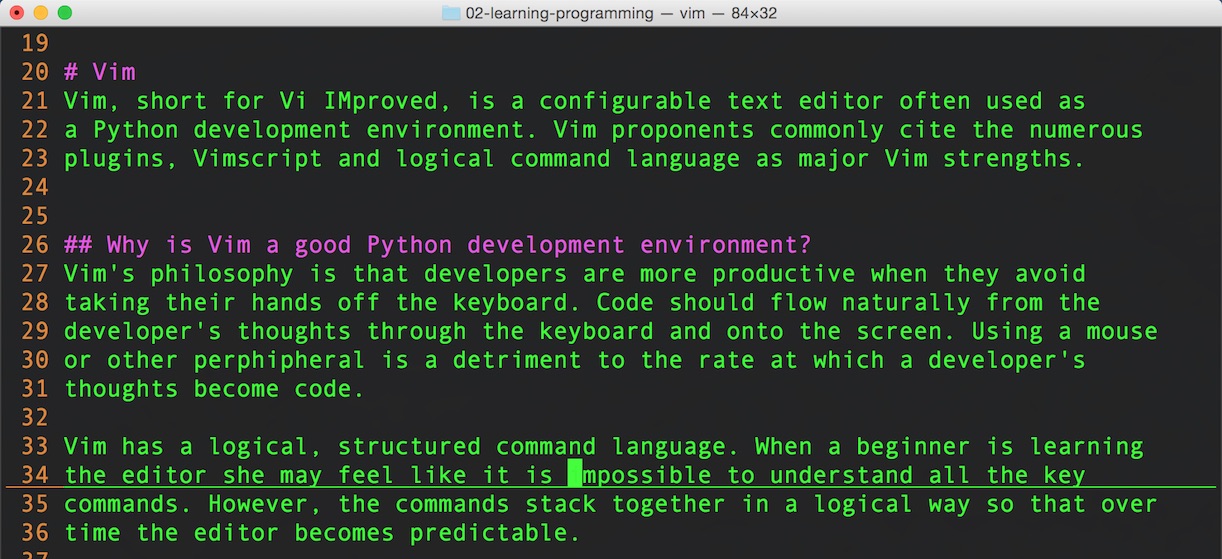
Configuring Vim with a Vimrc fileThe Vimrc file is used to configure the Vim editor. A Vimrc file can range from nothing in it to very complicated with hundreds or thousands of lines of configuration commands. Here's a short, commented example .vimrc file I use for Python development to get a feel for some of the configuration statements: " enable syntax highlighting syntax enable " show line numbers set number " set tabs to have 4 spaces set ts=4 " indent when moving to the next line while writing code set autoindent " expand tabs into spaces set expandtab " when using the >> or << commands, shift lines by 4 spaces set shiftwidth=4 " show a visual line under the cursor's current line set cursorline " show the matching part of the pair for [] {} and () set showmatch " enable all Python syntax highlighting features let python_highlight_all = 1 Here is how these configuration options look with a dark background on Mac OS X while editing the markdown for this webpage (how meta!).
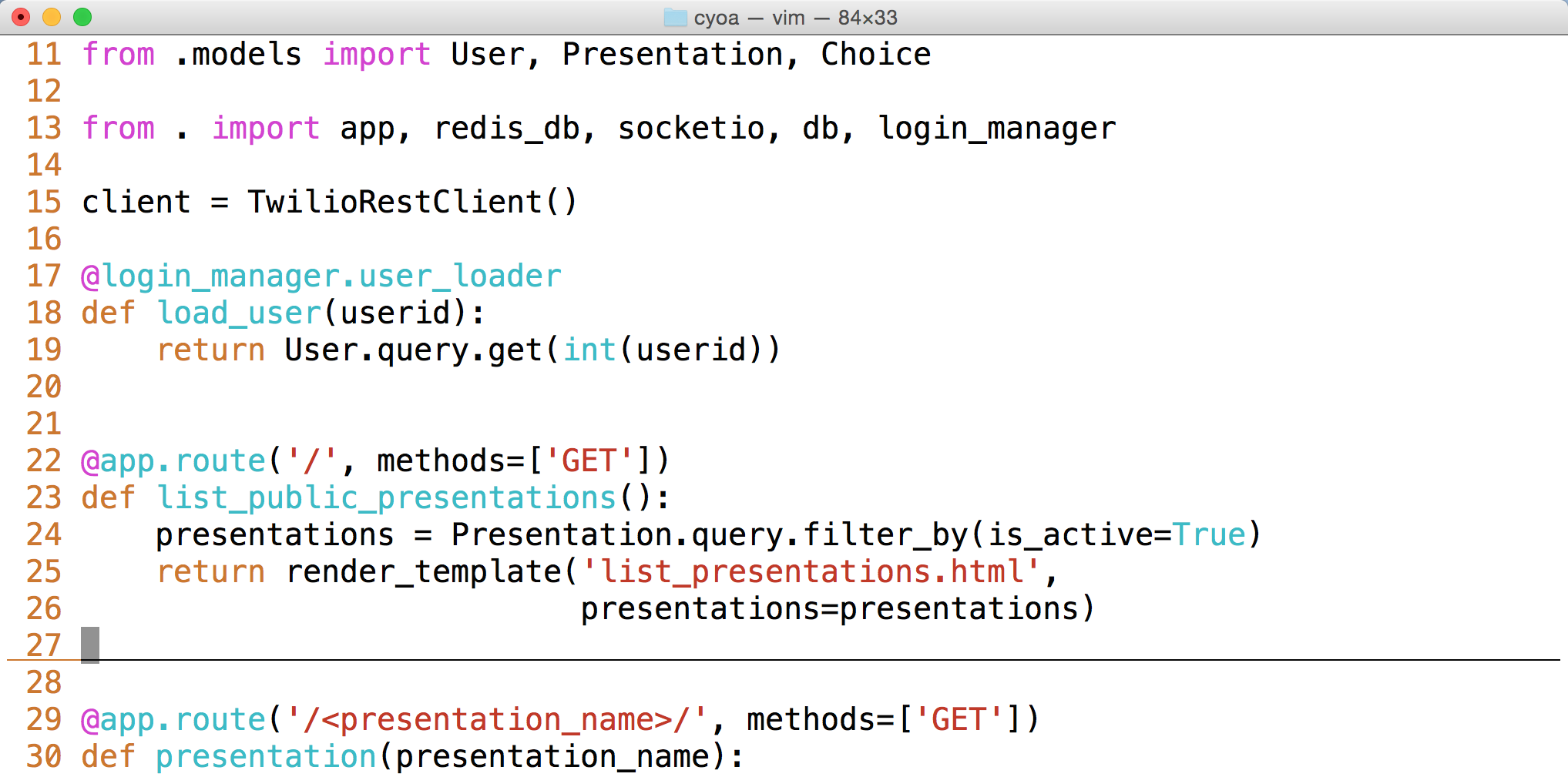
Take a look at another example using these configuration options, this time with a light background and editing Python code from my Choose Your Own Adventures Presentations project.
The Vimrc file lives under the home directory of the user account running
Vim. For example, when my user account is 'matt', on Mac OS X my Vimrc
file is found at If a Vimrc file does not already exist, just create it within the user's home directory and it will be picked up by Vim the next time you open the editor. The following are a few resources for learning what to put in, and how to
structure a
Vim tutorialsVim has a reputation for a difficult learning curve, but it's much easier to get started with these tutorials.
Vim installation guidesThese installation guides will help you get Vim up and running on Mac OS X, Linux and Windows.
Using Vim as a Python IDEOnce you get comfortable with Vim as an editor, there are several configuration options and plugins you can use to enhance your Python productivity. These are the resources and tutorials to read when you're ready to take that step.
Vim Plugin resources
Vim Plugin ManagersIf you use many Vim plugins together it is really handy to have a plugin managers to sort out all of the dependencies. The following plugin managers are the most commonly-used ones in the Vim ecosystem.
Niche tutorialsAfter you have been using Vim for awhile there will be features you bump into without realizing they were ever there. The following tutorials show how to use some specific niche features. You may already know about these if you have been using Vim for awhile but everyone's learning path is different so it's useful to do a quick scan to make sure you are not missing anything.
Now that you know about Vim, what do you want to develop in it?
1. Introduction
2. Development Environments
Text Editors & IDEs
Vim
Emacs
Sublime Text
PyCharm
Jupyter Notebook
Shells
Bash shell
Zsh
PowerShell
Terminal Multiplexers
tmux
Screen
Environment configuration
Application Dependencies
Virtualenvs
Localhost tunnels
Source Control
Git
Mercurial
3. Data
4. Web Development
5. Deployment
6. DevOps
Changelog
What Full Stack Means
About the Author
Future Directions
Page Statuses
...or view the full table of contents.
Full Stack Python
Full Stack Python
is an open book that explains concepts in plain language and provides
helpful resources for those topics.
Updates via Twitter & Facebook. |
| You are visitor 01402503 — GeezerVison does not store the pages you look up. Best viewed with Netscape Navigator 4.7 or Internet Explorer 6 at 800×600. No cookies required. |