GV

GeezerVison

The World Wide Web, restored to 800 pixels of glory.

Home|About|Gaming cabinet|Archives|How it works|Starter sites

On this site

  • The Python Code
  • Tutorials
  • Ethical Hacking
  • Machine Learning
  • General Python Tutorials
  • Web Scraping
  • Finance
  • Computer Vision
  • Python Standard Library
  • Application Programming Interfaces
  • Database
  • Game Development
  • Web Programming
  • Digital Forensics

This view

  • Original page
  • New address

GeezerVison is showing thepythoncode.com — How to Make a Port Scanner in Python - The Python Code

Ready to take Python coding to a new level? Explore our Python Code Generator. The perfect tool to get your code up and running in no time. Start now!

Port scanning is a scanning method for determining which ports on a network device are open, whether it's a server, a router, or a regular machine. A port scanner is just a script or a program that is designed to probe a host for open ports.

In this tutorial, you will be able to make your own port scanner in Python using the socket library. The basic idea behind this simple port scanner is to try to connect to a specific host (website, server, or any device connected to the Internet/network) through a list of ports. If a successful connection has been established, that means the port is open.

For instance, when you loaded this web page, you made a connection to this website on port 80. Similarly, this script will try to connect to a host but on multiple ports. These kinds of tools are useful for hackers and penetration testers, so don't use this tool on a host that you don't have permission to test!

Table of content:

  • Simple Port Scanner
  • Fast (Threaded) Port Scanner
  • Conclusion

GET: Build 35+ Ethical Hacking Scripts & Tools with Python EBook

Optionally, you need to install colorama module for printing in colors:

pip3 install colorama

Simple Port Scanner

First, let's start by making a simple port scanner. Let's import the socket module:

import socket # for connecting
from colorama import init, Fore

# some colors
init()
GREEN = Fore.GREEN
RESET = Fore.RESET
GRAY = Fore.LIGHTBLACK_EX

Note: socket module is already installed on your machine, it is a built-in module in the Python standard library, so you don't have to install anything.

The socket module provides us with socket operations, functions for network-related tasks, etc. They are widely used on the Internet, as they are behind any connection to any network. Any network communication goes through a socket. More details are in the official Python documentation.

We will use colorama here just for printing in green colors whenever a port is open, and gray when it is closed.

Let's define the function that is responsible for determining whether a port is open:

def is_port_open(host, port):
    """
    determine whether `host` has the `port` open
    """
    # creates a new socket
    s = socket.socket()
    try:
        # tries to connect to host using that port
        s.connect((host, port))
        # make timeout if you want it a little faster ( less accuracy )
        # s.settimeout(0.2)
    except:
        # cannot connect, port is closed
        # return false
        return False
    else:
        # the connection was established, port is open!
        return True

s.connect((host, port)) function tries to connect the socket to a remote address using the (host, port) tuple, it will raise an exception when it fails to connect to that host, that is why we have wrapped that line of code into a try-except block, so whenever an exception is raised, that's an indication for us that the port is actually closed, otherwise it is open.

Now let's use the above function and iterate over a range of ports:

# get the host from the user
host = input("Enter the host:")
# iterate over ports, from 1 to 1024
for port in range(1, 1025):
    if is_port_open(host, port):
        print(f"{GREEN}[+] {host}:{port} is open      {RESET}")
    else:
        print(f"{GRAY}[!] {host}:{port} is closed    {RESET}", end="\r")

The above code will scan ports ranging from 1 all the way to 1024, you can change the range to 65535 if you want, but that will take longer to finish.

When you try to run it, you'll immediately notice that the script is quite slow. Well, we can get away with that if we set a timeout of 200 milliseconds or so (using settimeout(0.2) method). However, this actually can reduce the accuracy of the reconnaissance, especially when your latency is quite high. As a result, we need a better way to accelerate this.

Read also: How to Use Shodan API in Python.

Fast (Threaded) Port Scanner

Now let's take our simple port scanner to a higher level. In this section, we'll write a threaded port scanner that can scan 200 or more ports simultaneously.

The below code is actually the same function we saw previously, which is responsible for scanning a single port. Since we're using threads, we need to use a lock so only one thread can print at a time. Otherwise, the output will be messed up, and we won't read anything useful:

import argparse
import socket # for connecting
from colorama import init, Fore
from threading import Thread, Lock
from queue import Queue

# some colors
init()
GREEN = Fore.GREEN
RESET = Fore.RESET
GRAY = Fore.LIGHTBLACK_EX

# number of threads, feel free to tune this parameter as you wish
N_THREADS = 200
# thread queue
q = Queue()
print_lock = Lock()

def port_scan(port):
    """
    Scan a port on the global variable `host`
    """
    try:
        s = socket.socket()
        s.connect((host, port))
    except:
        with print_lock:
            print(f"{GRAY}{host:15}:{port:5} is closed  {RESET}", end='\r')
    else:
        with print_lock:
            print(f"{GREEN}{host:15}:{port:5} is open    {RESET}")
    finally:
        s.close()

So this time, the function doesn't return anything; we just want to print whether the port is open (feel free to change it, though).

We used Queue() class from the built-in queue module that will help us with consuming ports, the two below functions are for producing and filling up the queue with port numbers and using threads to consume them:

def scan_thread():
    global q
    while True:
        # get the port number from the queue
        worker = q.get()
        # scan that port number
        port_scan(worker)
        # tells the queue that the scanning for that port 
        # is done
        q.task_done()


def main(host, ports):
    global q
    for t in range(N_THREADS):
        # for each thread, start it
        t = Thread(target=scan_thread)
        # when we set daemon to true, that thread will end when the main thread ends
        t.daemon = True
        # start the daemon thread
        t.start()
    for worker in ports:
        # for each port, put that port into the queue
        # to start scanning
        q.put(worker)
    # wait the threads ( port scanners ) to finish
    q.join()

Get Our Ethical Hacking with Python EBook

Master Ethical Hacking with Python by building 35+ Tools from scratch. Get your copy now!

Download EBook

The job of the scan_thread() function is to get port numbers from the queue and scan it, and then add it to the done tasks, whereas main() function is responsible for filling up the queue with the port numbers and spawning N_THREADS threads to consume them.

Note the q.get() will block until a single item is available in the queue. q.put() puts a single item into the queue and q.join() waits for all daemon threads to finish (clearing the queue).

Finally, let's make a simple argument parser using argparse so we can pass the host and port numbers range from the command line:

if __name__ == "__main__":
    # parse some parameters passed
    parser = argparse.ArgumentParser(description="Simple port scanner")
    parser.add_argument("host", help="Host to scan.")
    parser.add_argument("--ports", "-p", dest="port_range", default="1-65535", help="Port range to scan, default is 1-65535 (all ports)")
    args = parser.parse_args()
    host, port_range = args.host, args.port_range

    start_port, end_port = port_range.split("-")
    start_port, end_port = int(start_port), int(end_port)

    ports = [ p for p in range(start_port, end_port)]

    main(host, ports)

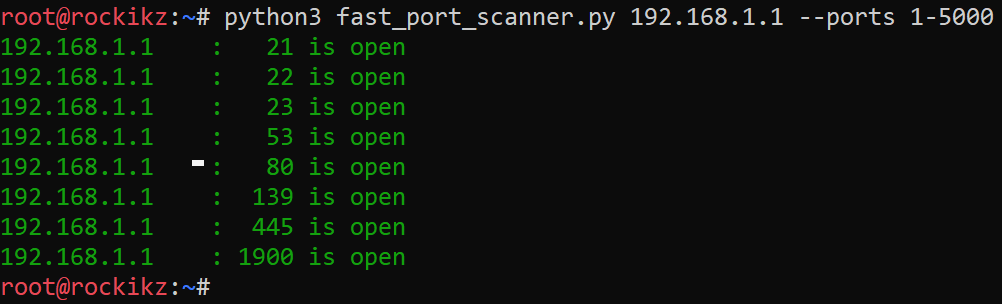
Here is a screenshot of when I tried to scan my home router:Fast Port Scanner using Python

Conclusion

Awesome! It finished scanning 5000 ports in less than 2 seconds! You can use the default range (1 to 65535), which will take a few seconds to finish.

If you see your scanner is freezing on a single port, that's a sign you need to decrease your number of threads. If the server you're probing has a high ping, you should reduce N_THREADS to 100, 50, or even lower, try to experiment with this parameter.

Port scanning proves to be useful in many cases. An authorized penetration tester can use this tool to see which ports are open and reveal the presence of potential security devices such as firewalls, as well as test the network security and the strength of a device.

It is also a popular reconnaissance tool for hackers that are seeking weak points to gain access to the target machine.

Most penetration testers often use Nmap to scan ports, as it does not just provide port scanning, but shows services and operating systems that are running, and much more advanced techniques.

In our Ethical Hacking with Python EBook, we've built a port scanner with Nmap along with other 35 hacking tools & scripts. Make sure to check it out here if you're interested!

You can check the full version of both scripts here.

Disclaimer: Note that this script is intended for individuals to test on their devices and learn Python. I will take no responsibility if it is misused.

Learn Also: How to Brute Force FTP Servers in Python.

Happy Scanning ♥

Just finished the article? Why not take your Python skills a notch higher with our Python Code Assistant? Check it out!

View Full Code Improve My Code
Sharing is caring!

Read also

How to Make a Network Scanner using Scapy in Python

Building a simple network scanner using ARP requests and monitor the network using Scapy library in Python.
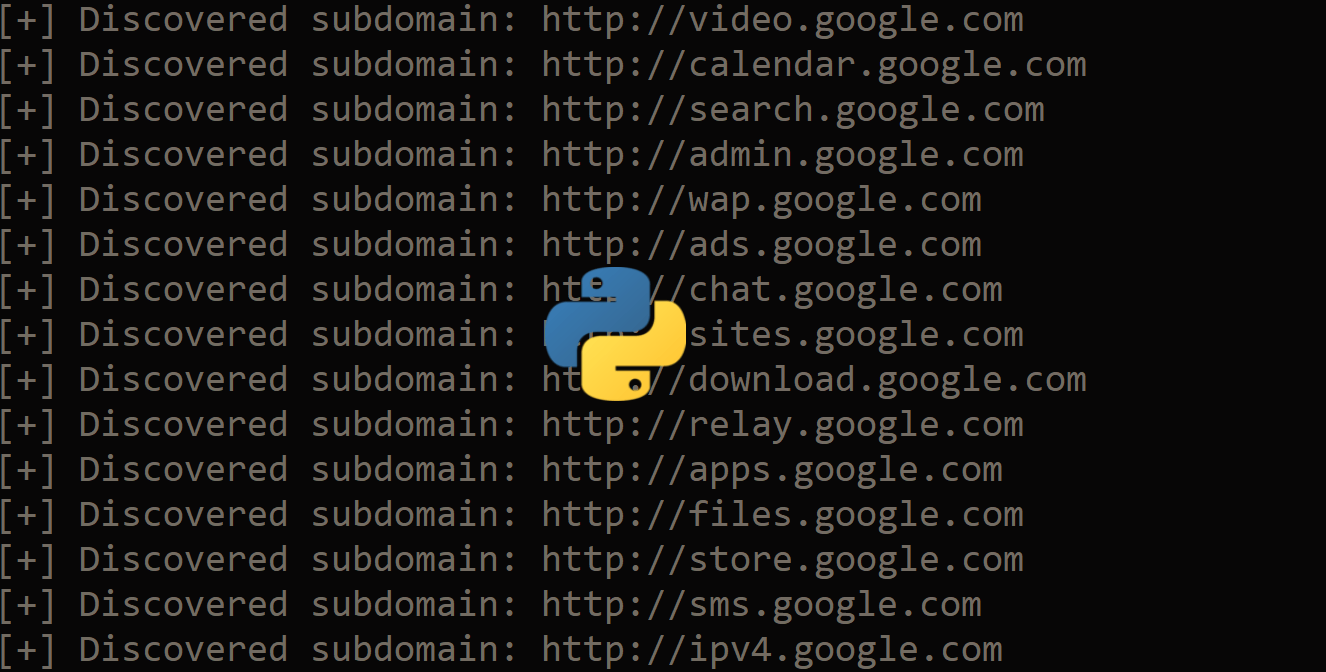
How to Make a Subdomain Scanner in Python

Learning how to build a Python script to scan for subdomains of a given domain using requests library.
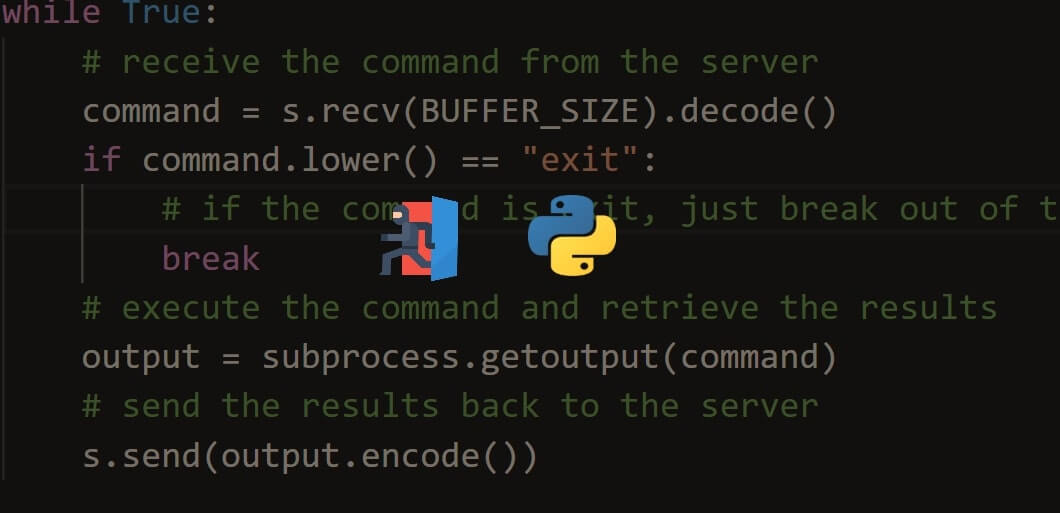
How to Create a Reverse Shell in Python

Building a reverse shell in Python using sockets that can execute remote shell commands and send the results back to the server.

Comments

    Got a coding query or need some guidance before you comment? Check out this Python Code Assistant for expert advice and handy tips. It's like having a coding tutor right in your fingertips!


    Get our free Python guides

    Join 50,000+ Python programmers and enthusiasts like you!

    Topics
    Ethical Hacking Machine Learning General Python Tutorials Web Scraping Finance Computer Vision Python Standard Library Application Programming Interfaces Database Game Development Web Programming Digital Forensics Natural Language Processing Healthcare PDF File Handling Python for Multimedia GUI Programming Cryptography Packet Manipulation Using Scapy
    Ethical Hacking with Python EBook - Topic - Middle
    New tutorials View all
    • How AI Text Detection Works: The Technology Behind Modern AI Detectors
    • Beyond Guesswork: How Python Helps Identify AI-Generated Text
    • Discover the Possibilities of Python Programming
    • How to Track Your AI Visibility with Python
    • How to Automate Excel Reports in Python using Openpyxl
    Popular tutorials View all
    • How to Convert Speech to Text in Python
    • How to Read Emails in Python
    • How to Extract Tables from PDF in Python
    • How to Control your Mouse in Python
    • How to Make a Keylogger in Python
    Ethical Hacking with Python EBook - Topic - Bottom CodingFleet - Topic - Bottom
    You are visitor 01402503 — GeezerVison does not store the pages you look up.
    Best viewed with Netscape Navigator 4.7 or Internet Explorer 6 at 800×600. No cookies required.