GeezerVisonThe World Wide Web, restored to 800 pixels of glory. |
| Home|About|Gaming cabinet|Archives|How it works|Starter sites |
GeezerVison is showing codescracker.com — Java Program to Get Input from User
Java Program to Get Input from UserThis article is created to cover multiple programs in Java that are based on receiving inputs from user. Here are the list of programs included in this article:
Get Integer Input in JavaThe question is, write a Java program to ask the user to enter an integer value and print the entered value back on the output screen. The program given below is its answer. This program basically shows, how to read an integer value in Java using Scanner and nextInt() import java.util.Scanner; public class CodesCracker { public static void main(String[] args) { int num; Scanner scan = new Scanner(System.in); System.out.print("Enter an Integer Value: "); num = scan.nextInt(); System.out.println("\nYou've entered: " +num); } } The snapshot given below shows the sample run of above program, with user input 20: 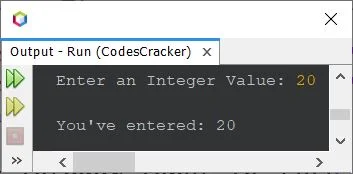
You can use following methods, to scan values of other types:
Continue Receiving Integer Input until User enters 0 in JavaThis program is created in a way, to continue receiving the inputs from user, until enters 0. You can modify this program, to use in a way, like to continue receiving inputs from user, until user enters a character 'x' or whatever you want. import java.util.Scanner; public class CodesCracker { public static void main(String[] args) { Scanner scan = new Scanner(System.in); System.out.print("Enter an Integer Value: "); int num = scan.nextInt(); while(num!=0) num = scan.nextInt(); System.out.println("\nProgram Closed!"); } } Here is its sample run with some user inputs: 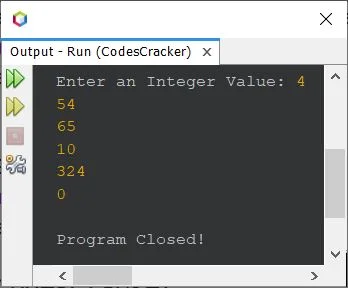
How to Handle with Invalid Inputs in Java ?Now the question is, what if user enters an invalid input ? 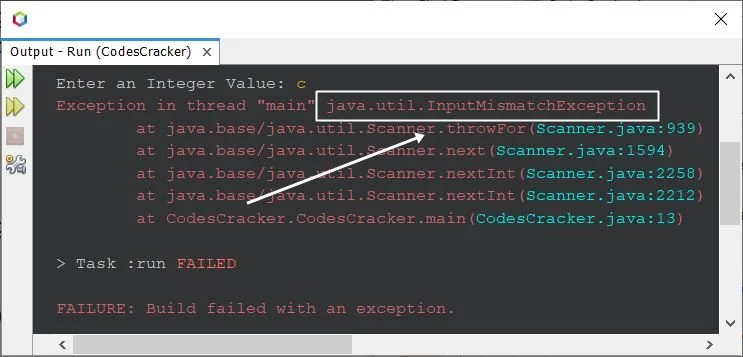
Now we need to put the scanner statement inside the try block, so that, we can catch that exception using the catch block. Here is the complete version of the code, created after modifying the first program of this article. This program handles with invalid input: import java.util.Scanner; import java.util.InputMismatchException; public class CodesCracker { public static void main(String[] args) { int num; Scanner scan = new Scanner(System.in); System.out.print("Enter an Integer Value: "); try { num = scan.nextInt(); System.out.println("\nYou've entered: " +num); } catch(InputMismatchException ime) { System.out.println("\nInvalid Input!"); } } } Here is its sample run with same user input as of previous sample run, that is c: 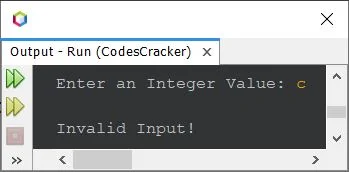
In above program, the following two statements: import java.util.Scanner; import java.util.InputMismatchException; can also be replaced with a single statement given below: import java.util.*; Take Character Input in JavaThis program is created to show you, how the character input can be received from user at run-time of the program. import java.util.Scanner; public class CodesCracker { public static void main(String[] args) { Scanner scan = new Scanner(System.in); System.out.print("Enter a Character: "); char ch = scan.next().charAt(0); System.out.println("\nYou've entered: " +ch); } } The sample run with user input Y is shown in the snapshot given below: 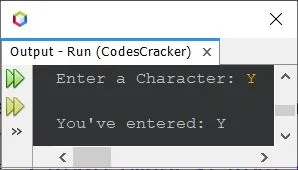
In above program, the next() method is used to receive string input, whereas the charAt() method is used to get the character available at any particular index specified using its parameter. Therefore, charAt(0) scans the very first character or the character available at 0th index of the string. Therefore, if you enter any string like codescracker on the sample run of above program, then the first character, that is c will get initialized to ch. Here is its sample run with user input codescracker: 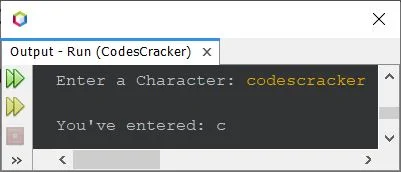
Get String Input from User in JavaTo get string input from user in Java, we have following two methods:
The next() method is used to scan a single word, name, or any string without space(s). Whereas the nextLine()
method is used, when we need to scan and receive the whole string with or without spaces, typed before pressing the
Get String Input in Java - Without SpaceThis program uses next() method to scan a word or string without spaces. import java.util.Scanner; public class CodesCracker { public static void main(String[] args) { Scanner scan = new Scanner(System.in); System.out.print("Enter a String: "); String str = scan.next(); System.out.println("\nYou've entered: " +str); } } Here is its sample run with user input codescracker: 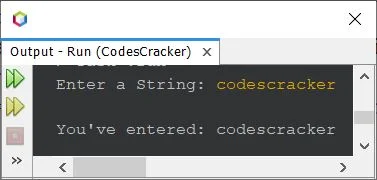
Here is another sample run with user input codescracker dot com: 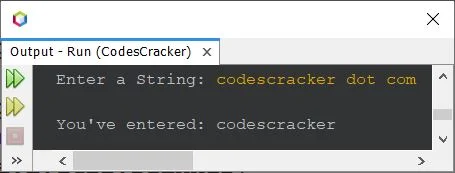
Get String Input in Java - With SpacesTo receive the complete string with spaces, typed in a line, use nextLine() instead of next(). Rest of all the codes remains same as of previous program. Here is its sample run, when you use nextLine(), while receiving the string input from user: 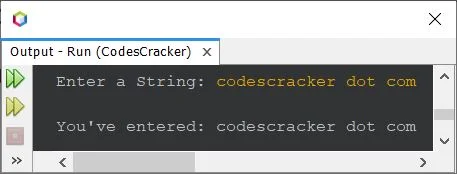
Get Multiple Inputs from User in JavaThis is the last program of this article, created to show you, how you can get multiple inputs in Java language. import java.util.Scanner; public class CodesCracker { public static void main(String[] args) { Scanner scan = new Scanner(System.in); System.out.print("How many numbers to enter ? "); int n = scan.nextInt(); int[] arr = new int[n]; System.out.print("Enter " +n+ " Numbers: "); for(int i=0; i<n; i++) arr[i] = scan.nextInt(); System.out.println("\nYou've entered: "); for(int i=0; i<n; i++) System.out.print(arr[i]+ " "); } } Here is its sample run with user input 5 as size, and 23, 34, 45, 56, 67 as five numbers: 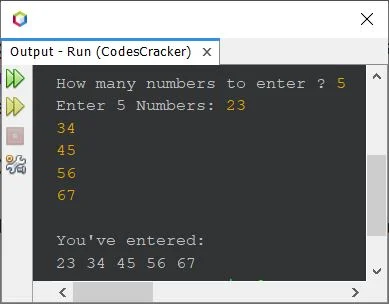
Same Program in Other Languages« Previous Program Next Program » Practice Quizzes
Test your programming and computer science knowledge with interactive MCQs and topic-based quizzes. Popular Topics
Explore the most popular programming and computer science tutorials on CodesCracker. |
| You are visitor 01402520 — GeezerVison does not store the pages you look up. Best viewed with Netscape Navigator 4.7 or Internet Explorer 6 at 800×600. No cookies required. |