GV

GeezerVison

The World Wide Web, restored to 800 pixels of glory.

Home|About|Gaming cabinet|Archives|How it works|Starter sites

On this site

  • Home
  • About
  • Resources
  • Mailing List
  • Archives
  • PB Python Article Roadmap
  • Chris Moffitt
  • articles

This view

  • Original page
  • New address

GeezerVison is showing pbpython.com — PB Python Article Roadmap - Practical Business Python
article header image

Introduction

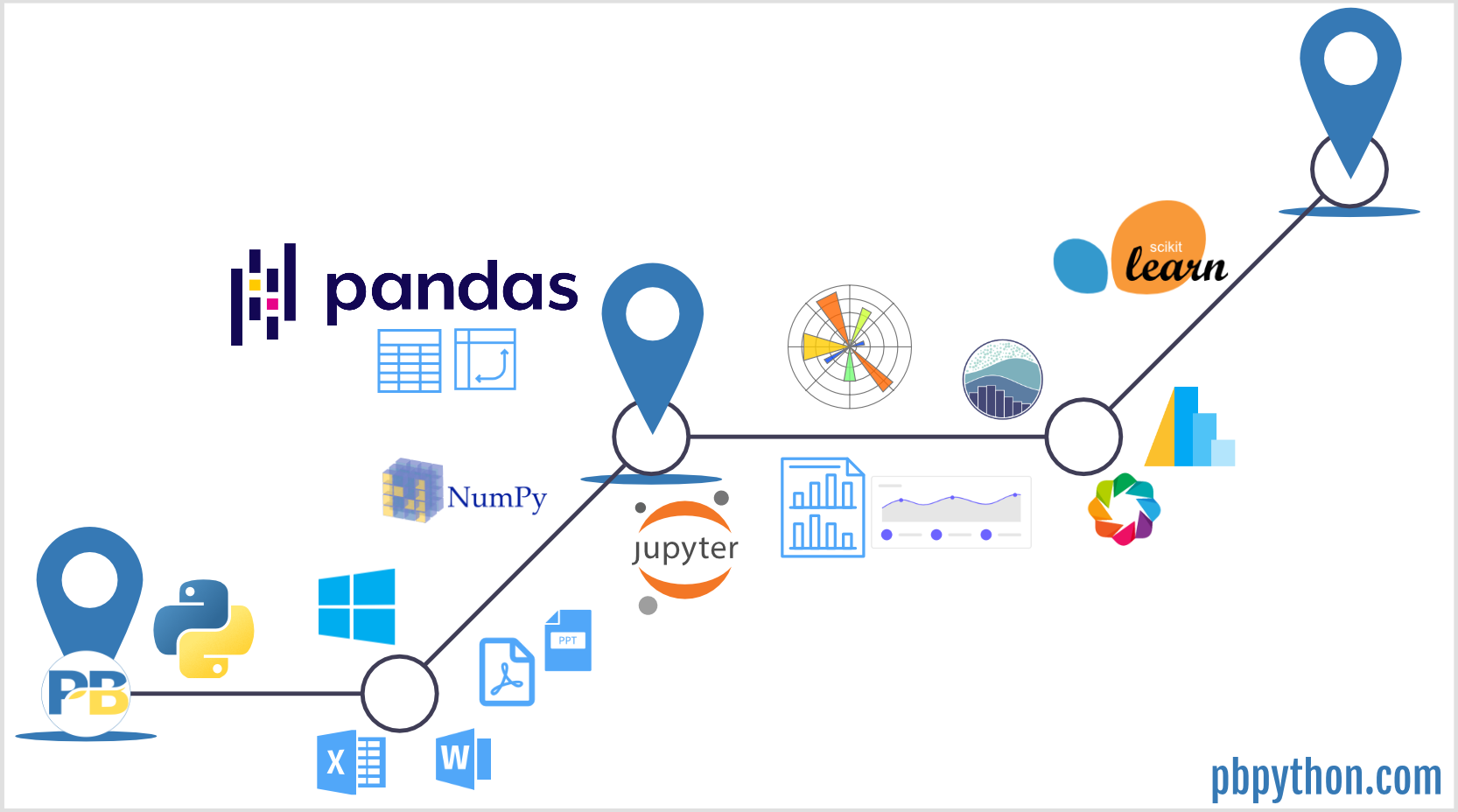
September 17th is Practical Business Python’s anniversary. Last year, I reflected on 5 years of growth. This year, I wanted to take a step back and develop a guide to guide readers through the content on PB Python.

As of this writing, I have 84 articles on the site. They vary from fairly complex and lengthy to quick summaries. When I wrote them, I did it based on my interests at the time and without much thought on progression. Now that I have a decent volume of articles, I want to organize them in a more meaningful way.

My ultimate goal for this site is that I want it to be a resource to help people use Python to automate away many of the repetitive tasks they do on a daily basis with tools like Excel. A secondary goal for is to cover more advanced Python topics that are difficult to do in Excel.

One reason for developing this guide is that at least 90% of my traffic comes from organic search. These users come to the site, read an article and move on. I hope those that find this guide will stay a little longer and find other relevant content and use this as a resource to navigate the Python ecosystem.

Secondly, this guide will be useful to help me understand gaps in the content and keep a mental framework for continuing to develop content. My intent is to update the sections below as I add new content. I will also maintain a link at the top of the Archives page to point people in the right direction.

Table of Contents

  • Getting Started with Python
  • Pandas Fundamentals
  • Advanced Pandas Concepts
  • Reporting
  • Python Libraries
  • Working with Windows
  • Data Science Topics
  • Data Visualization
  • Site Updates
  • Additional Resources

Getting Started with Python

Before you begin your Python journey, here are a couple of articles that are helpful for getting everything set up on your system:

  • Best Practices for Managing Your Code Library
  • Building a Repeatable Data Analysis Process with Jupyter Notebooks
  • Using Document Properties to Track Your Excel Reports
  • Exploring an Alternative to Jupyter Notebooks for Python Development
  • TalkPython Podcast - Escaping Excel Hell with Python and Pandas
  • TalkPython Podcast - 10 tips to move from Excel to Python

Just as importantly, you need to think about how long this journey will take and what you may need to do to spread the knowledge within your organization:

  • Getting to the Plateau of Productivity with Python
  • Evangelizing Python for Business
  • Recorded webinar - Tips and techniques to move from Excel to Python

Case studies are also a great way to understand how the Python ecosytem can be used to solve problems:

  • Case Study Processing Historical Weather Patterns
  • Case Study Automating Excel File Creation and Distribution with Pandas and Outlook

Pandas Fundamentals

Pandas is a rich library with a lot of functionality. If you are new to pandas, this is the order I would recommend reading the articles:

Basic pandas concepts:

  • Common Excel Tasks Demonstrated in Pandas and Part 2
  • Excel Filter and Edit - Demonstrated in Pandas
  • Tips for Selecting Columns in a DataFrame
  • Overview of Pandas Data Types
  • Using The Pandas Category Data Type
  • Creating Pandas DataFrames from Lists and Dictionaries
  • Cleaning Up Currency Data with Pandas
  • Stylin with Pandas

Grouping and summarizing data:

  • Comprehensive Guide to Grouping and Aggregating with Pandas
  • Pandas Pivot Table Explained
  • Pandas Crosstab Explained
  • Understanding the Transform Function in Pandas
  • Pandas Grouper and Agg Functions Explained
  • Binning Data with Pandas qcut and cut
  • Pandas Groupby Warning

Data input and output:

  • Combining Data From Multiple Excel Files
  • Combine Multiple Excel Worksheets Into a Single Pandas Dataframe
  • Reading HTML tables with Pandas
  • Reading Poorly Structured Excel Files with Pandas

Advanced Pandas Concepts

After you have experience with the basics of pandas, here are some articles that describe more complex topics:

  • Excel diff
  • Learn More About Pandas By Building and Using a Weighted Average Function
  • Building a Financial Model with Pandas and Second Try
  • Monte Carlo Simulation with Python
  • Python Tools for Record Linking and Fuzzy Matching
  • Efficiently Cleaning Text with Pandas

Reporting

One of the key challenges with moving to python is figuring out the best way to share your results with others. Here are several posts that describe alternatives:

  • Generating Excel Reports from a Pandas Pivot Table
  • Improving Pandas Excel Output
  • Creating Advanced Excel Workbooks with Python
  • Interactive Data Analysis with Python and Excel
  • Creating PDF Reports with Pandas Jinja and WeasyPrint
  • Automated Report Generation with Papermill and second part
  • Creating Interactive Dashboards from Jupyter Notebooks

Python Libraries

There are several libraries that will be useful for this journey. Some are in the standard library and others are 3rd party applications. All can be useful for task automation:

  • Using Pythons Pathlib Module
  • Web scraping with Beautifulsoup
  • Collecting Data with Google Forms and Pandas
  • Adding a Simple GUI to Your Pandas Script
  • Building a PDF Splitter Application
  • Build a Celebrity Look-Alike Detector with Azures Face Detect and Python
  • sidetable - Create Simple Summary Tables in Pandas

Working with Windows

Windows has it’s own quirks. Several articles are helpful for working in a Windows environment:

  • Creating Powerpoint Presentations with Python
  • Populating MS Word Templates with Python
  • Automating Windows Applications Using COM
  • Building a Windows Shortcut with Python
  • Using WSL to Build a Python Development Environment on Windows

Data Science Topics

Data science is a broad category and many articles are related to various data science topics. These articles are more focused on specific data science tasks:

  • Guide to Encoding Categorical Values in Python
  • Introduction to Market Basket Analysis in Python
  • Finding Natural Breaks in Data with the Fisher-Jenks Algorithm
  • Forecasting Website Traffic Using Facebooks Prophet Library and follow up

Data Visualization

Python’s data visualization landscape is complex and it can be difficult to determine the best tool to use. Here are some posts about the visualization landscape:

  • Choosing a Python Visualization Tool
  • Overview of Python Visualization Tools
  • Overview of Pandas DataFrame Visualization Tools

Articles on some specific libraries.

Matplotlib:

  • Simple Graphing with IPython and Pandas
  • Effectively Using Matplotlib
  • Creating a Waterfall Chart in Python
  • Building a Bullet Graph in Python

Altair:

  • Introduction to Data Visualization with Altair
  • Intro to pdvega - Plotting for Pandas using Vega-Lite

Bokeh:

  • Interactive Visualization of Australian Wine Ratings
  • Building Bullet Graphs and Waterfall Charts with Bokeh

Plotly:

  • Creating Interactive Visualizations with Plotlys Dash Framework
  • Taking Another Look at Plotly

Seaborn:

  • Visualizing Google Forms Data with Seaborn
  • New Plot Types in Seaborns Latest Release

Site Updates

This section contains ad-hoc posts about the site and the technology behind it.

  • The Technology Behind PB Python
  • Configuring Pelican Static Blog
  • 5 years
  • Using Markdown to Create Responsive HTML Emails
  • Newsletter Archives

Additional Resources

Book reviews and other recommended resources:

  • Machine Learning with Python Cookbook
  • Machine Learning Pocket Reference
  • ← Reading HTML tables with Pandas
  • Case Study: Processing Historical Weather Pattern Data →
Tags pandas 

Comments

You are visitor 01402503 — GeezerVison does not store the pages you look up.
Best viewed with Netscape Navigator 4.7 or Internet Explorer 6 at 800×600. No cookies required.