GeezerVisonThe World Wide Web, restored to 800 pixels of glory. |
| Home|About|Gaming cabinet|Archives|How it works|Starter sites |
GeezerVison is showing codescracker.com — Python Program to Merge Two Dictionaries
Python Program to Merge Two DictionariesThis article deals with some Python programs that merges two dictionaries. Here are the list of programs available in this article:
Merge Two Dictionaries using copy() and update()The question is, write a Python program to merge two dictionaries using copy() and update(), predefined methods of Python. The program given below is answer to this question. This program uses the help of third dictionary to do the task. This program also does not interact with users at run-time. DictionaryOne = {"key1": "Value1", "Key2": "Value2"}
DictionaryTwo = {"key3": "Value3", "Key4": "Value4"}
DictionaryThree = DictionaryOne.copy()
DictionaryThree.update(DictionaryTwo)
print("\nThe Two Dictionary Merged Successfully!")
print("\nThe New Dictionary is:")
print(DictionaryThree)
Here is its sample output: 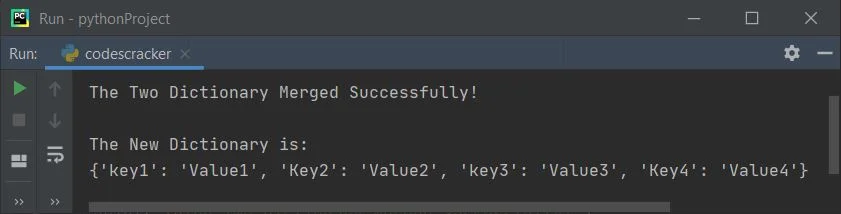
Merge Two Dictionaries without third DictionaryNow this is the program that does takes any help of third dictionary. This program also does not interact with users. That is, this program does not allows user to enter any input values for any of the dictionary. DictionaryOne = {"key1": "Value1", "Key2": "Value2"}
DictionaryTwo = {"key3": "Value3", "Key4": "Value4"}
DictionaryOne.update(DictionaryTwo)
print("\nThe Two Dictionary Merged Successfully!")
print("\nThe New Dictionary is:")
print(DictionaryOne)
This program produces the same output as of previous program. Merge Two Dictionaries with User InputThe question is, write a program in Python that asks from user to enter values for the two dictionaries and then merges both dictionaries. Here is its answer. This program only receives two-two items from user for both dictionaries. DictionaryOne = {}
DictionaryTwo = {}
print("Enter 2 Items for First Dictionary: ")
for i in range(2):
print("Enter Key and Value: ")
dictKey = input()
dictVal = input()
DictionaryOne.update({dictKey: dictVal})
print("Enter 2 Items for Second Dictionary: ")
for i in range(2):
print("Enter Key and Value: ")
dictKey = input()
dictVal = input()
DictionaryTwo.update({dictKey: dictVal})
DictionaryOne.update(DictionaryTwo)
print("\nThe Two Dictionary Merged Successfully!")
print("\nThe New Dictionary is:")
print(DictionaryOne)
The snapshot given below shows the initial output produced by this Python program: 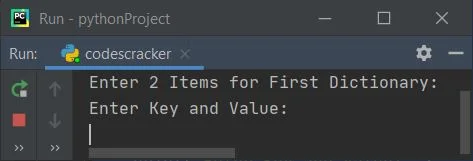
Now supply inputs say Website as key of first item for first dictionary, codescracker as value of first item for first dictionary. Similarly Language and Python as key and value of second item for first dictionary. Again enter Topic and Program as key and value of first item for second dictionary. And finally SubTopic and Dictionary as key and value of second item for second dictionary, to merge and print the newly merged dictionary as shown below: 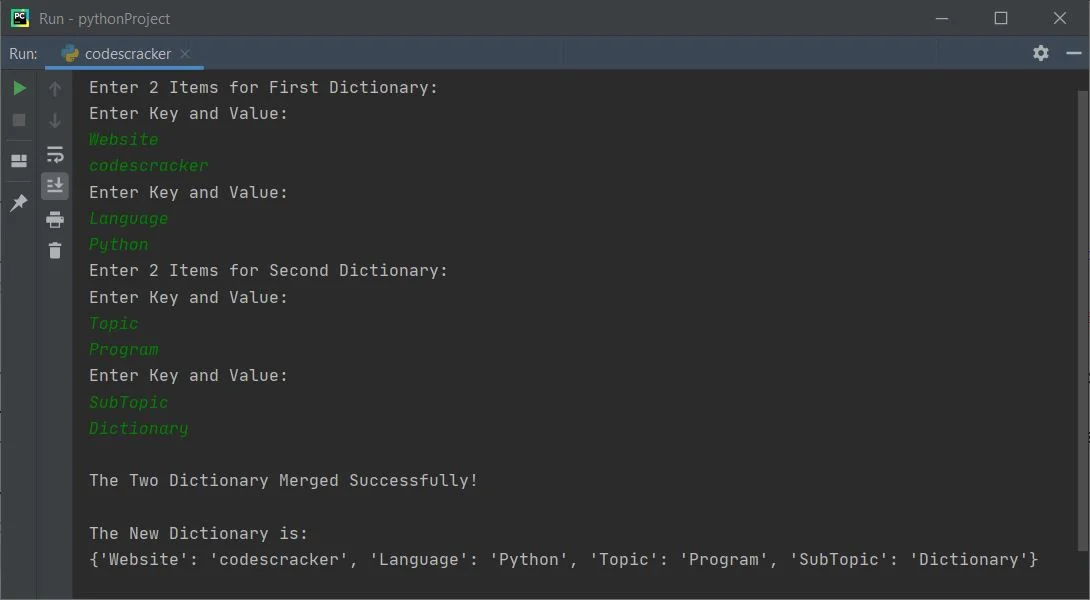
Merge Two Dictionaries of Given Size and ItemsThis is the actual and modified version of all the previous programs. This program allows user to define the size and items for both the dictionaries. After receiving the inputs for dictionaries, the program merges both the dictionaries. dOne = {}
dTwo = {}
print(end="Enter the Size of First Dictionary: ")
dOneSize = int(input())
print(end="Enter " +str(dOneSize)+ " Items:-\n")
for i in range(dOneSize):
print(end="Enter Key and Value of Item No." +str(i+1)+ ": ")
dKey = input()
dVal = input()
dOne.update({dKey: dVal})
print(end="\nEnter the Size of Second Dictionary: ")
dTwoSize = int(input())
print(end="Enter " +str(dTwoSize)+ " Items:-\n")
for i in range(dTwoSize):
print(end="Enter Key and Value of Item No." +str(i+1)+ ": ")
dKey = input()
dVal = input()
dTwo.update({dKey: dVal})
dOne.update(dTwo)
print("\nThe Two Dictionary Merged Successfully!")
print("\nThe New Dictionary is:")
dLen = len(dOne)
for m, n in dOne.items():
print(str(m)+ ": " +str(n))
Here is its sample run with following user input:
Let's have a look at the sample run with exactly these inputs: 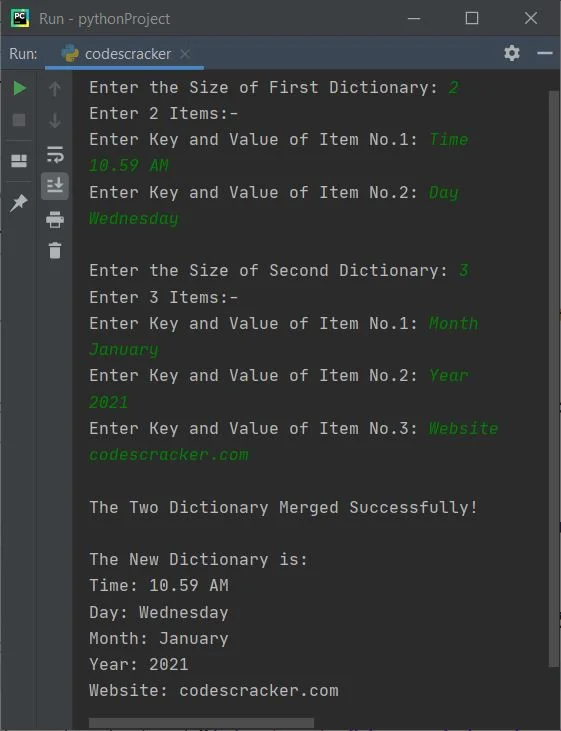
« Previous Program Next Program » Practice Quizzes
Test your programming and computer science knowledge with interactive MCQs and topic-based quizzes. Popular Topics
Explore the most popular programming and computer science tutorials on CodesCracker. |
| You are visitor 01402503 — GeezerVison does not store the pages you look up. Best viewed with Netscape Navigator 4.7 or Internet Explorer 6 at 800×600. No cookies required. |