GeezerVisonThe World Wide Web, restored to 800 pixels of glory. |
| Home|About|Gaming cabinet|Archives|How it works|Starter sites |
GeezerVison is showing codescracker.com — Python Program to Delete a File
Python Program to Delete a FileThis article deals with some programs created in Python, that deletes a file entered by user at run-time. Here are the list of programs:
Since the program given below deletes a file from the current directory. The current directory means, the folder where the Python source (given below) to delete file is saved. Here is the snapshot of the folder (current directory) before executing the program given below: 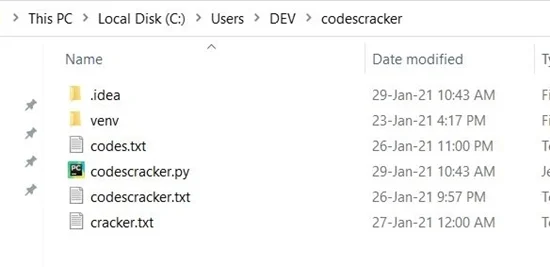
As you can see that a file named codescracker.txt is available in this folder. So I'll delete this file using the program given below. Let's get started. Delete a File from Current DirectoryTo delete a file from current directory in Python, you have to ask from user to enter the name of file, then use os.remove() to do the job like show in the program given below: import os print("Enter the Name of File: ") filename = input() os.remove(filename) print("\nFile deleted successfully!") Here is the initial output produced by this Python program: 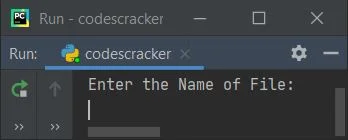
Now supply the input say codescracker.txt as name of file to delete, press 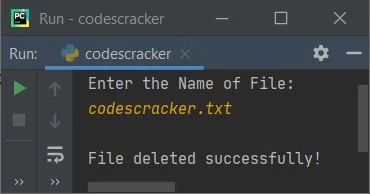
Here is the snapshot of the current directory after executing the program: 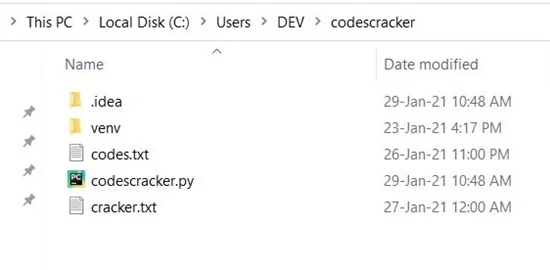
As you can see from the above screenshot, the file codescracker.txt is not present inside the directory, as the file gets deleted using the execution and sample run of above program. Note - The os module allows us to work with operating system using its predefined functions. Note - The os.remove() is used to remove or delete a file provided as its argument. Delete File if ExistsThis is the modified version of previous program. This program displays confirmation message to user, whether he/she actually wants delete the file entered by him/her or not. This program also uses try-except to handle the error produced when deleting the file. Let's have a look: import os print("Enter File's Name: ", end="") filename = input() print("\nDo you really want to delete \"" +(filename)+ "\" ? (y/n) ", end="") ch = input() if ch=='y': try: os.remove(filename) print("\nThe File, \"" +(filename)+ "\" deleted successfully!") except IOError: print("\nThe file \"" +(filename)+ "\" is not available in the directory!") else: print("\nExiting...") Here is its sample run with input none.txt (a non-existing file): 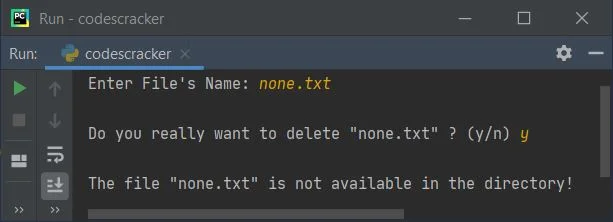
The first statement inside the try block gets executed. That is, os.remove(filename). When this statement produces an error, or something strange happened while deleting the file, then using except, I've processed the IOError (input/output error) to produce or print a message regarding it. Delete any File from any Folder (Directory)This program is the complete version of deleting a file from a directory in Python. That is, this program allows user to delete any file from any directory. import os, glob print("Enter Full Path of Directory to Operate on: ", end="") dirpath = input() os.chdir(dirpath) print("\nList of Files: ") chk = 0 for file in glob.glob("*.*"): chk = 1 print(file) if chk == 0: print("Empty Folder!") else: print("\nEnter File's Name to Delete: ", end="") filename = input() print("\nDo you really want to delete \"" +(filename)+ "\" ? (y/n) ", end="") ch = input() if ch=='y': try: os.remove(filename) print("\nThe File, \"" +(filename)+ "\" deleted successfully!") print("\nDo you want to list remaining files ? (y/n) ", end="") ch = input() if ch=='y': os.chdir(dirpath) print("\nList of Files: ") for file in glob.glob("*.*"): print(file) except IOError: print("\nThe file \"" +(filename)+ "\" is not available!") else: print("\nExiting...") before executing the program, create another folder say cc like shown in the snapshot given below: 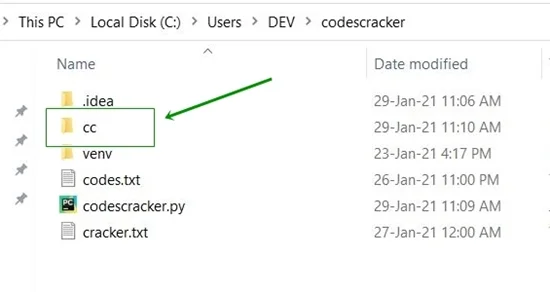
create any two files say one.txt and two.txt inside this newly created folder. Here is the snapshot of the folder that contains two newly created files: 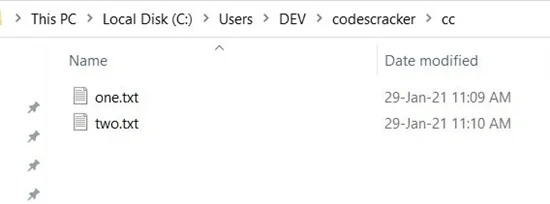
Now copy the full path of this folder, like shown in the snapshot given below: 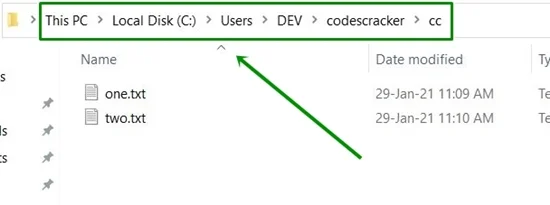
That is, the full path of newly created folder named cc in my case is C:\Users\DEV\codescracker\cc. Now execute the above
program, and just copy and paste (or type) the full path and press 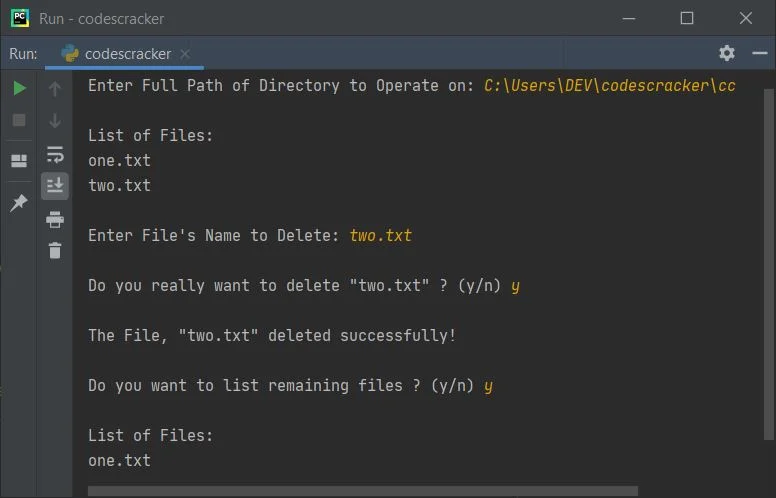
Note - The glob module of Python allows us to match specified pattern as per rules related to Unix shell. Basically this module (in above program) is used to print all files with all extensions using *.*. * before and after dot (.) represents all file's name and all file's extension. Note - The os.chdir() method is used to change the current working directory. The directory passed as its argument becomes the current directory The dry run of above program goes like:
Same Program in Other Languages« Previous Program Next Program » Practice Quizzes
Test your programming and computer science knowledge with interactive MCQs and topic-based quizzes. Popular Topics
Explore the most popular programming and computer science tutorials on CodesCracker. |
| You are visitor 01402503 — GeezerVison does not store the pages you look up. Best viewed with Netscape Navigator 4.7 or Internet Explorer 6 at 800×600. No cookies required. |