GeezerVisonThe World Wide Web, restored to 800 pixels of glory. |
| Home|About|Gaming cabinet|Archives|How it works|Starter sites |
GeezerVison is showing codescracker.com — Python Program to Make Calculator
Python Program to Make CalculatorIn this article, I've created some programs in Python, to make a simple calculator. Here are the list of calculator programs in Python:
Calculator Program using while Loop and if-elseThis program makes a simple calculator in Python that performs four basic mathematical operations such as add, subtract, multiply, and divide two numbers entered by user. Here I've provided 5 options to user, the fifth option is to exit. while True: print("1. Addition") print("2. Subtraction") print("3. Multiplication") print("4. Division") print("5. Exit") print("Enter Your Choice (1-5): ", end="") ch = int(input()) if ch>=1 and ch<=4: print("\nEnter Two Numbers: ", end="") numOne = float(input()) numTwo = float(input()) if ch==1: res = numOne + numTwo print("\nResult =", res) elif ch==2: res = numOne - numTwo print("\nResult =", res) elif ch==3: res = numOne * numTwo print("\nResult =", res) elif ch==4: res = numOne / numTwo print("\nResult =", res) elif ch==5: break else: print("\nInvalid Input!..Try Again!") print("------------------------") Here is the initial output produced by this Python program of simple calculator: 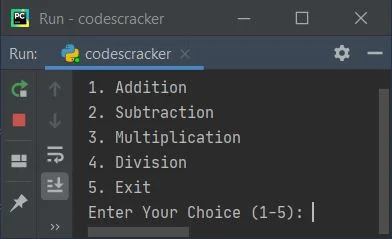
Now supply the input. For example type 1 as choice, and press 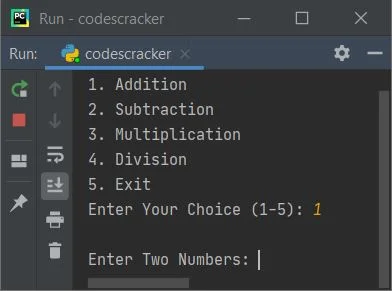
Now enter any two numbers say 32 as first, press 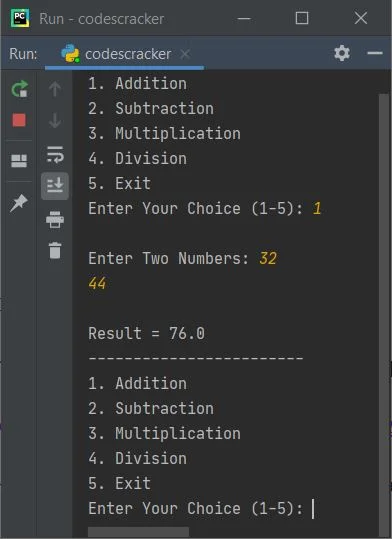
To exit, type 5 as choice and press 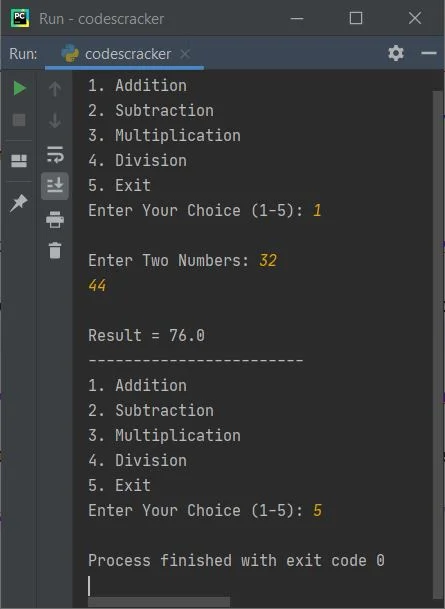
The dry run of above program goes like:
Modified Version of Previous ProgramThis program is the modified version of previous program. This program uses try-except to handle invalid inputs. That is, when user enters any invalid input like c, # as number, then program raises (prints) error message and continue asking to enter the valid one. Let's have a look: print("1. Addition") print("2. Subtraction") print("3. Multiplication") print("4. Division") print("5. Exit") while True: while True: print("Enter Your Choice (1-5): ", end="") try: ch = int(input()) if ch>=1 and ch<=4: print("\nEnter Two Numbers: ", end="") numOne = float(input()) numTwo = float(input()) if ch==1: print("\nResult =", numOne+numTwo) elif ch==2: print("\nResult =", numOne-numTwo) elif ch==3: print("\nResult =", numOne*numTwo) elif ch==4: print("\nResult =", numOne/numTwo) elif ch==5: break else: print("\nInvalid Input!..Try Again!") print("------------------------") except ValueError: print("\nInvalid Input!..Try Again!") print("------------------------") continue if ch==5: break Here is its sample run with user input 3 as choice, then 2 and 5 as two numbers: 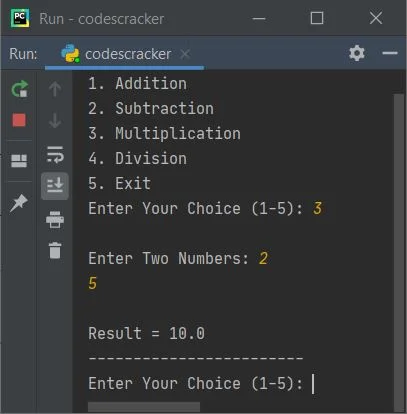
As you can see from above sample run, the menu is displayed only once. Later on, I've only displayed the message that asks to enter the choice to continue the operation. Here is continued sample run with invalid and valid inputs: 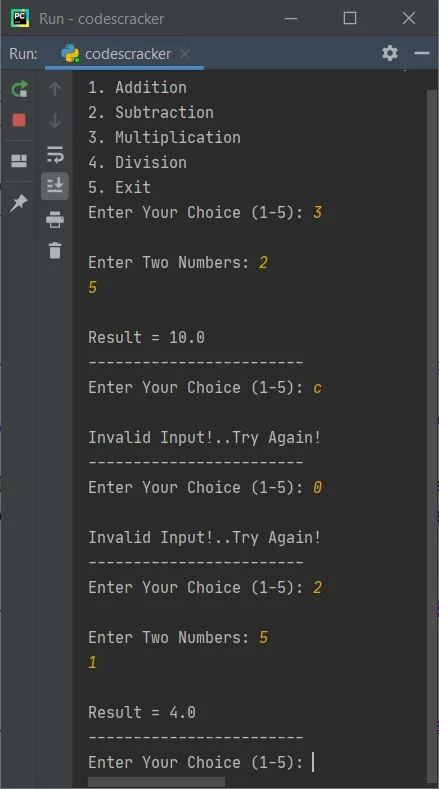
The only way to exit the program, is by using 5 as choice. Note - In above program, when user enters invalid input, then program flow goes to except ValueError's body and prints an error message. Then using continue keyword, program flow goes to the initial (first) statement of while loop's body to receive the input again inside try Calculator Program using FunctionThis program is created using four user-defined functions. All functions receives two arguments and returns the corresponding result. def add(a, b): return a+b def sub(a, b): return a-b def mul(a, b): return a*b def div(a, b): return a/b print("1. Addition") print("2. Subtraction") print("3. Multiplication") print("4. Division") print("5. Exit") while True: while True: print("Enter Your Choice (1-5): ", end="") try: ch = int(input()) if ch>=1 and ch<=4: print("\nEnter Two Numbers: ", end="") nOne = float(input()) nTwo = float(input()) if ch==1: print("\nResult =", add(nOne, nTwo)) elif ch==2: print("\nResult =", sub(nOne, nTwo)) elif ch==3: print("\nResult =", mul(nOne, nTwo)) elif ch==4: print("\nResult =", div(nOne, nTwo)) elif ch==5: break else: print("\nInvalid Input!..Try Again!") print("------------------------") except ValueError: print("\nInvalid Input!..Try Again!") print("------------------------") continue if ch==5: break This program produces same output as of previous program. Calculator Program using ClassThis is the last calculator program in Python, created using class. To access member function of a class, an object is required. Therefore an object ob is created of a class named CodesCracker, of which I've to access member functions using dot (.) operator. class CodesCracker: def add(self, a, b): return a+b def sub(self, a, b): return a-b def mul(self, a, b): return a*b def div(self, a, b): return a/b print("1. Add") print("2. Subtract") print("3. Multiply") print("4. Divide") print("5. Exit") while True: while True: print("Enter Your Choice (1-5): ", end="") try: ch = int(input()) if ch>=1 and ch<=4: print("\nEnter Two Numbers: ", end="") nOne = float(input()) nTwo = float(input()) ob = CodesCracker() if ch==1: print("\n" +str(nOne)+ " + " +str(nTwo)+ " = " + str(ob.add(nOne, nTwo))) elif ch==2: print("\n" +str(nOne)+ " - " +str(nTwo)+ " = " + str(ob.sub(nOne, nTwo))) elif ch==3: print("\n" +str(nOne)+ " * " +str(nTwo)+ " = " + str(ob.mul(nOne, nTwo))) elif ch==4: print("\n" +str(nOne)+ " / " +str(nTwo)+ " = " + str(ob.div(nOne, nTwo))) elif ch==5: break else: print("\nInvalid Input!..Try Again!") print("------------------------") except ValueError: print("\nInvalid Input!..Try Again!") print("------------------------") continue if ch==5: break Here is its sample run with some user inputs: 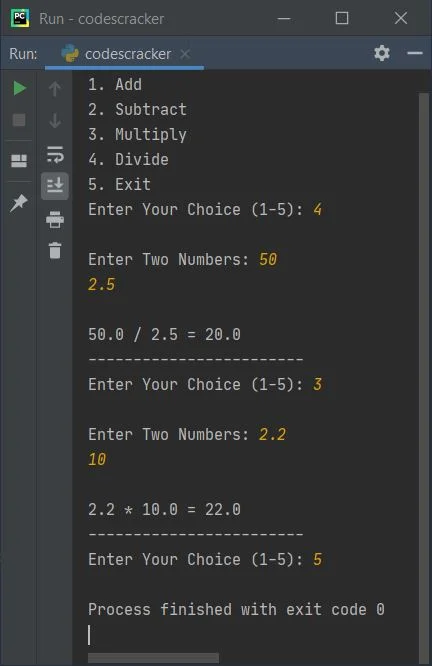
Same Program in Other Languages« Previous Program Next Program » Practice Quizzes
Test your programming and computer science knowledge with interactive MCQs and topic-based quizzes. Popular Topics
Explore the most popular programming and computer science tutorials on CodesCracker. |
| You are visitor 01402503 — GeezerVison does not store the pages you look up. Best viewed with Netscape Navigator 4.7 or Internet Explorer 6 at 800×600. No cookies required. |