GeezerVisonThe World Wide Web, restored to 800 pixels of glory. |
| Home|About|Gaming cabinet|Archives|How it works|Starter sites |
GeezerVison is showing codescracker.com — Python Program to Count Words in a String
Python Program to Count Words in a StringThis article is created to cover some programs in Python, that count and prints total number of words available in a string entered by user at run-time. Here are the list of approaches used to do the job:
Count Words in String using for LoopTo count total number of words present in a given string or sentence in Python, you have to ask from user to enter a string, then count and print total words available in the string like shown in the program given below: print("Enter the String: ") text = input() chk = 0 countWord = 0 textLen = len(text) for i in range(textLen): if text[i]==' ': if chk!=0: countWord = countWord+1 chk = 0 else: chk = chk+1 if chk!=0: countWord = countWord+1 print("\nNumber of Word(s): ") print(countWord) Here is its sample run: 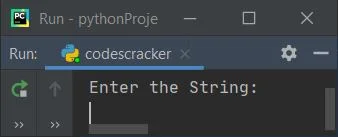
Now supply the input say welcome to codescracker as string and press 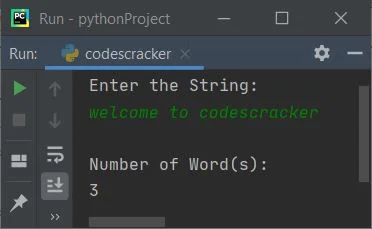
Here is another sample run with following user input: this is codescracker That is, 4 spaces then this, 3 spaces then is, and a single space then codescracker: 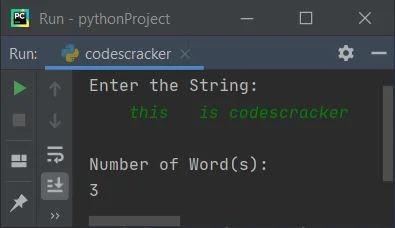
Note - The len() method returns length of string passed as its argument. In above program, the following code (for loop's code): for i in range(textLen): is used to execute all statements available in its body, textLen number of times with value of i from 0 to textLen-1. For example, if textLen's value is 5, then this loop gets evaluated five times with value of i from 0 to 4 The dry run of above program with string input welcome to codescracker, as provided in first sample run, goes like:
Count Words in String using len() and split()This program also count and prints total words available in a string, but using predefined function named split(). The split() method splits string into words. Let's have a look at the program first: print(end="Enter the String: ") text = input() wordLen = len(text.split()) print("\nNumber of Word(s): " + str(wordLen)) Here is its sample run with user input, This is Python Program: 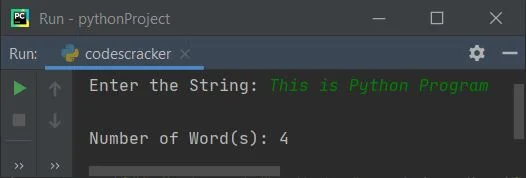
From above program, the following code (statement): wordLen = len(text.split()) can also be replaced with the block of code given below, to make it more understandable: wordlist = text.split() wordLen = len(wordlist) that is, the first statement creates a list of words using split(). And the second statement initializes the length of list named wordlist using len() method. Length of list means, total number of elements available in the list. Elements of list here are words Count Words in a String using FunctionThis program uses a user-defined function named CountWords(), that receives a string as its argument and returns its length like done in previous program. The only difference is, the main code gets wrapped into a user-defined function. def CountWords(s): wlist = s.split() wtot = len(wlist) return wtot print("Enter the String: ", end="") text = input() wordLen = CountWords(text) print("\nNumber of Word(s):", wordLen) Produces same output as of previous program. Count Words in a String using ClassThis is the last program created using a class named CodesCracker. Class is an object-oriented feature of Python. Function inside a class, is called as its member function. class CodesCracker: def CountWords(self, s): wrds = s.split() totwrds = len(wrds) return totwrds print("Enter the String: ", end="") text = input() ob = CodesCracker() textlen = ob.CountWords(text) print("\nNumber of Word(s):", textlen) To access member function of a class, an object of that class is required. Therefore an object named ob of class CodesCracker is created, and using dot (.) operator, I've accessed its member function through its object like shown in above program. Same Program in Other Languages« Previous Program Next Program » Practice Quizzes
Test your programming and computer science knowledge with interactive MCQs and topic-based quizzes. Popular Topics
Explore the most popular programming and computer science tutorials on CodesCracker. |
| You are visitor 01402503 — GeezerVison does not store the pages you look up. Best viewed with Netscape Navigator 4.7 or Internet Explorer 6 at 800×600. No cookies required. |