GeezerVisonThe World Wide Web, restored to 800 pixels of glory. |
| Home|About|Gaming cabinet|Archives|How it works|Starter sites |
GeezerVison is showing codescracker.com — Python sep (sep=) parameter in print() with examples
Python sep (sep=) parameter in print() with examplesUsing the value given to the "sep" parameter in print(), you can separate more than one parameter. For example, the following Python code print("s", "e", "p") produces the following output: 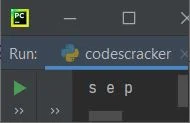
As you can see from the above output, there is a single space inserted automatically between each parameter (that is, "s," "e," and "p"). But using the "sep" parameter, we can remove the default behavior of print() and insert an automatic space between each of its parameters. Here is the modified version of the previous program: print("s", "e", "p", sep="") Now, the output of this program will be: 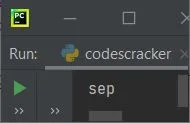
Important: The "sep=" parameter must be placed as the last parameter of print(). Use of the sep parameterThe use of the sep parameter is not limited to only removing automatically inserted spaces between all parameters of print(). But it can also be used to insert any required character or combination of characters between all parameters, as shown in the program given below: print("My Computer", "C Drive", "Program Files", sep=" -> ") This program produces the output as shown in the snapshot given below: 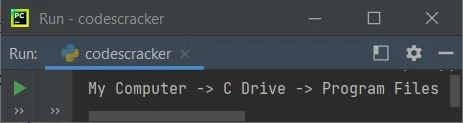
Use of the escape sequence using the sep parameterYou can also use escape sequence characters using the sep parameter in print(). To illustrate it, first let's take an example without assigning an escape sequence to sep. Here is the program: print("s ", "e ", "p", sep="") The above program produces: 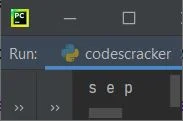
Now let's create the same program with an escape sequence character, say "\b" (the backslash character), assigned to sep, created after modifying the above program: print("s ", "e ", "p", sep="\b") This time, the program produces the following output:
Note: These are some demo programs showing you the use of sep. Or how this parameter plays an important role sometimes when you need these types of outputs. You can also format the date or anything you need using the sep parameter in the required way, like shown in the demo program given below: print("01", "09", "2021", sep="-") This program produces the following output: 01-09-2021 Advantages of the sep in Python
Disadvantages of the sep in Python
« Previous Tutorial Next Tutorial » Practice Quizzes
Test your programming and computer science knowledge with interactive MCQs and topic-based quizzes. Popular Topics
Explore the most popular programming and computer science tutorials on CodesCracker. |
| You are visitor 01402503 — GeezerVison does not store the pages you look up. Best viewed with Netscape Navigator 4.7 or Internet Explorer 6 at 800×600. No cookies required. |